
After having successfully tested the Unattended install jobs for my Citrix XenApp 5 environment I went on to testing the install.
The install itsself and the msi logs that my jobs created all indicated that the install was successfull.
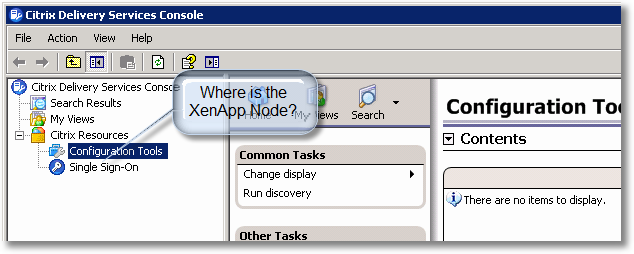
So I went on and launched the install jop for the Delivery Services Console. This job succeeded nicely but when I opened the console the XenApp node was missing:
The resolution is described in CTX125827 but Resolution 2 is a lot of manual labour :-(
So what do we do? We script it!
batch
Download
rem Set path to RegAsm
Set RegAsm="%windir%\microsoft.net\framework\v2.0.50727\RegAsm.exe"

rem for x64 we need to use the x86 Common Program Files folder
if "%CommonProgramFiles(x86)%" == "" Set CommonProgramFiles(x86)=%CommonProgramFiles%

rem Set Path for Citrix Common Program Files
set CtxCommon=%CommonProgramFiles(x86)%\Citrix

%RegAsm% /codebase "%CtxCommon%\Presentation Server - Administration Snap-in\pse.core.dll" /verbose
%RegAsm% /codebase "%CtxCommon%\Access Management Console - Diagnostics\CdfExtension.dll"/verbose
%RegAsm% /codebase "%CtxCommon%\Access Management Console - Knowledge Base\KnowledgeBaseExtension.dll" /verbose
%RegAsm% /codebase "%CtxCommon%\Access Management Console - Hotfix Management\HotfixExtension.dll" /verbose
%RegAsm% /codebase "%CtxCommon%\Access Management Console - Legacy Tools\MMCPlugins\LegacyToolsExt\CMCLaunchExtension.dll" /verbose
%RegAsm% /codebase "%CtxCommon%\Access Management Console - Report Center\ReportCentreExtension.dll" /verbose