
Earlier I described a SQL Query to get the Full Path of an Altiris Job, today I will describe how we can make a User Defined Function (UDF) in SQL so we can call it easier.
I am using an UDF because it allows us to specify parameters, in this case a single parameter (the EventId (or job id).
This is the SQL that creates the UDF:
sql
Download
CREATE FUNCTION GetFullPath
  ( @EventId int)
RETURNS nvarchar(4000)
AS
BEGIN
	DECLARE @str nvarchar(4000);
	WITH t1 (folder_id, name, parent_id, level)
	AS
	(
	-- Anchor member definition
		SELECT folder_id, name, parent_id, 0 AS Level
		FROM event_folder
		WHERE folder_id in (
			SELECT folder_id FROM event WHERE event_id = @EventId)
		UNION ALL

	-- Recursive member definition
		SELECT t2.folder_id,t2.name, t2.parent_id, Level+1
		FROM event_folder AS t2, t1
		WHERE t2.folder_id = t1.parent_id
	)

	-- Statement that executes the CTE
	-- STUFF and FOR XML are used to Concatenate the Values and seperate them by \ character

	SELECT @str = STUFF((SELECT '\' + name from t1 order by level desc FOR XML PATH('')),1,1,'')
	RETURN @str
END
GO
After you have executed this, you can find the UDF in the Programmability Section of SQL:
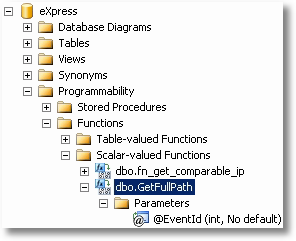
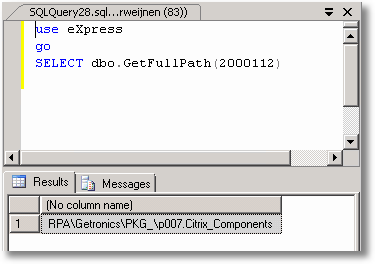
To call this UDF you need to use the two part name (dbo.GetFullPath) as described here.
Example:
Next step will be to prepend the \SERVER\Share part which we can do in the UDF as well.
