
I was digging around in termsrv.dll yesterday when I noticed that there are some (well 372 to be exact) SSL certificates inside the Terminal Server binary (termsrv.dll):
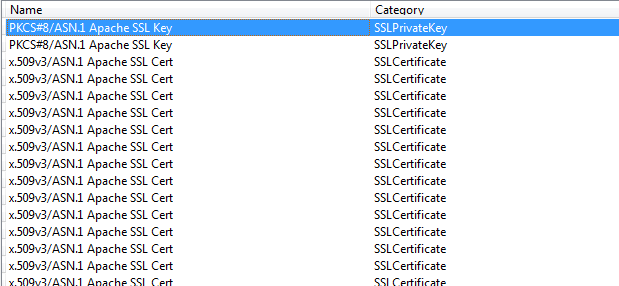
Two of them seem to actually contain the private keys as well, but I am not 100% sure it may be just a certificate in another format.
I wrote a small PowerShell script to import these certificates into the personal certificate store so I could inspect them easily:
powershell
Download
[void][System.Reflection.Assembly]::LoadWithPartialName("System.Security")

$store = New-Object System.Security.Cryptography.X509Certificates.X509Store
$store.Open([System.Security.Cryptography.X509Certificates.OpenFlags]::ReadWrite)

foreach ($file in dir -Path c:\Tools\dumper\*.txt)
{
	$cert = New-Object System.Security.Cryptography.X509Certificates.X509Certificate2 $file
	try
	{
		$store.Add($cert)
	}
	catch
	{
		Write-Error ("Error Adding $certfile") -ErrorAction:Continue
	}

}

$store.close
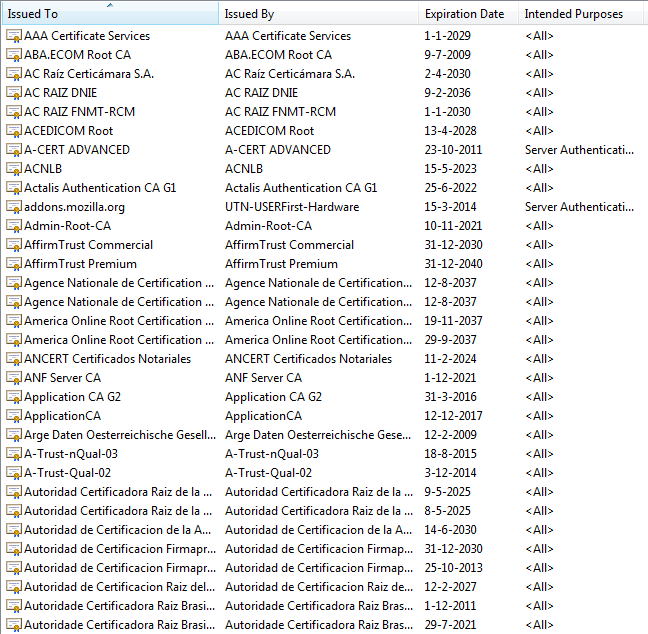
The certificates appear to be public certificates of root CA's, I have no idea of their intended purpose (why they need to be inside the termsrv.dll):
The keys that were marked as private are these two:

