
Installers can create so called Advertised Shortcuts in the Start Menu. I wanted to check the Target Path of such an shortcut but Explorer doesn’t show it:
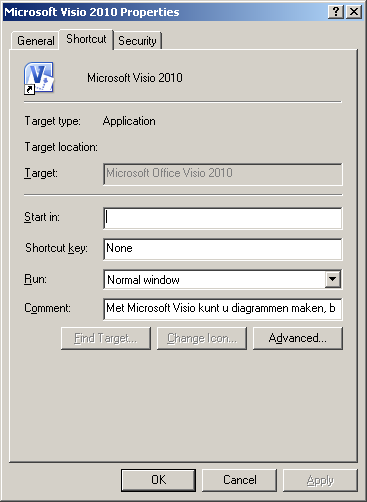
But we can easily retrieve the path using a small VB Script:
vb.net
Download
Option Explicit
Dim WshShell : Set WshShell = WScript.CreateObject("Wscript.Shell")
Dim objShortcut : Set objShortcut = WshShell.CreateShortcut(WScript.Arguments(0))
WScript.Echo("Target Path  : " & objShortcut.TargetPath & vbCrLf & _
"Icon Location: " & objShortcut.IconLocation)

Set objShortcut = Nothing
Set WshShell = Nothing
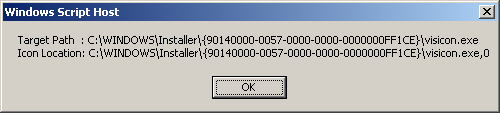
The scripts accepts the shortcut filename as a parameter so you can simply drag the shortcut to the script and it will show the Target Path and Icon Location:
Bonus Chatter: if you want to prevent an installer from creating Advertised Shortcuts set the DISABLEADVTSHORTCUTS MSI property to 1 (MsiExec /I MyMsi.msi DISABLEADVTSHORTCUTS=1).

Gret ascript but it bombs out subscript out of range line 5 char 19