
 Yesterday I wrote about the Windows 8 CP WebSetup installer and told you that the Application Compatibility check creates a few XML files in the folder %AppData%\Local\Microsoft\WebSetup\Panther.
So what can we do with them?
The XML files are created by a separate exe in the WebsetupExpanded folder called WicaInventory.exe with the arguments: /apps /fast /ext "exe,sys" /output <XML file> /log <LOG file>
In my case the commandline was:
WicaInventory.exe /apps /fast /ext "exe,sys" /output "C:\Users\rweijnen\AppData\Local\Microsof\WebSetup\Panther\WICA_Programs_REMKOLAPTOP.xml" /log "C:\Users\rweijnen\AppData\Local\Microsoft\WebSetup\Panther" "c:\Users\rweijnen\AppData\Local\Temp\1fd52b5b-2609-4156-ac02-49dca27a0a8d\WebSetupExpanded"Let's see what's in WICA_Programs_REMKOLAPTOP.xml.
I opened it in Excel as an XML Table and the result is a nice inventory of the software on my machine:
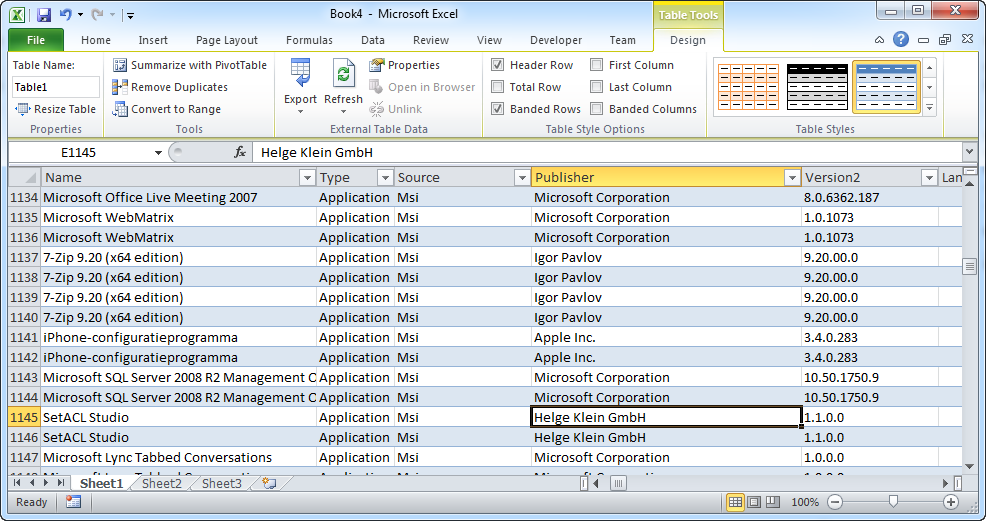
It contains ao applications, version, publisher, how it was installed, path to the msi etc etc.
The file WICA_Devices_REMKOLAPTOP.xml contains a detailed overview of the hardware and drivers:
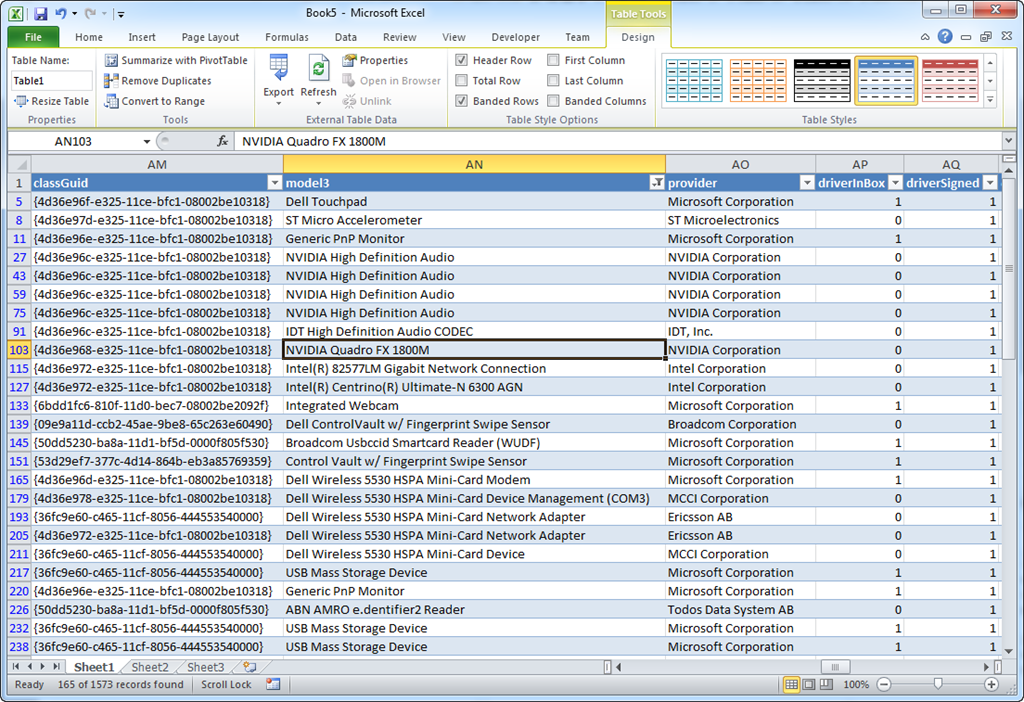
Not sure what the EULA says but this looks like a nice, free, hardware and software inventory tool!

[...] der Seite von Remko hat dieser einmal den Test gemacht und aufgezeigt, wie es möglich ist, diese Dateien [...]
After auto installation of KB 2952664 "Compatibility update for upgrading Windows 7" win7 also "support" this, just in different directory: "c:\Windows\Temp\CompatTelemetryLogs\"