
I needed to login as root on a Linux based virtual appliance to do some troubleshooting. In my case the appliance was running Suse Linux Enterprise.
I booted the VA using the Ubuntu Live CD and opened a Terminal. Then I used the cfdisk tool (sudo cfdisk /dev/sda) to view the partitions:
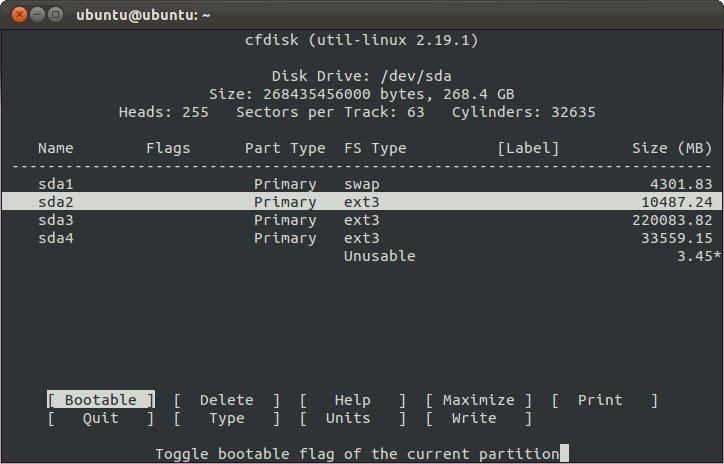
I assumed I needed sda2 so I mounted this partition:
bash
Download
# sudo su
# mkdir /mnt/va
# mount /dev/sda2 /mnt/va
However if we try to change the password we get an error:
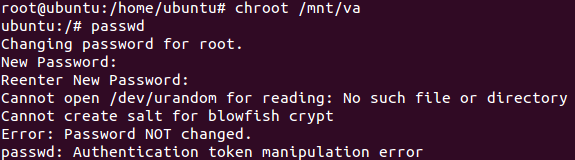
Apparently the /dev directory is filled while booting to make sure that it's filled only with available devices.
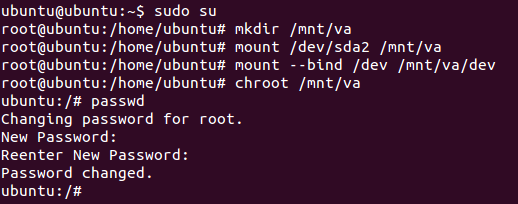
To be able the change the password I mounted the /dev directory from the Ubuntu Live CD and then it works nicely:

Nice one Remko