
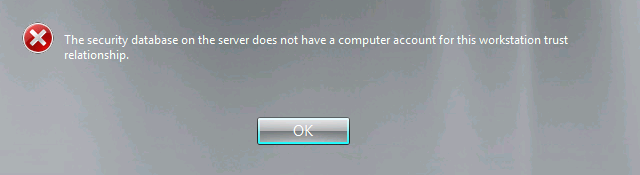
After joining a new Windows 2008 R2 Server to the domain I could not login to the domain.
I would get the following error message:
Additionally the following error was logged in the Eventlog:
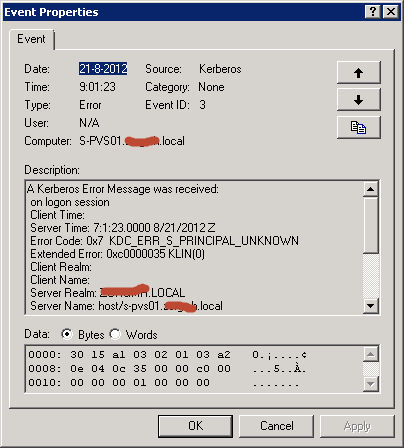
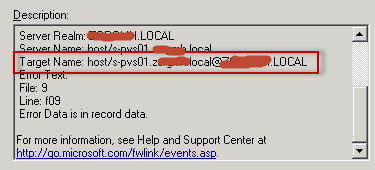
My guess is that the problem is related to the servicePrincipalName because in the Target Name the DNS suffix seems to be applied twice (or perhaps the UPN suffix):
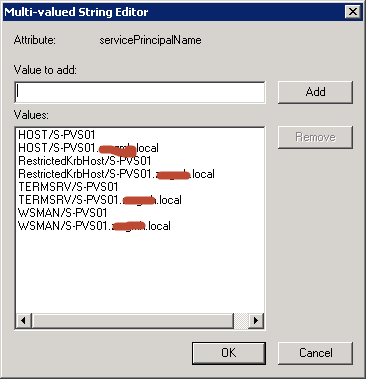
I compared the value of the servicePrincipalName attribute with ADSI Edit to a working server but saw no differences:
I did notice that the displayName attribute was missing:
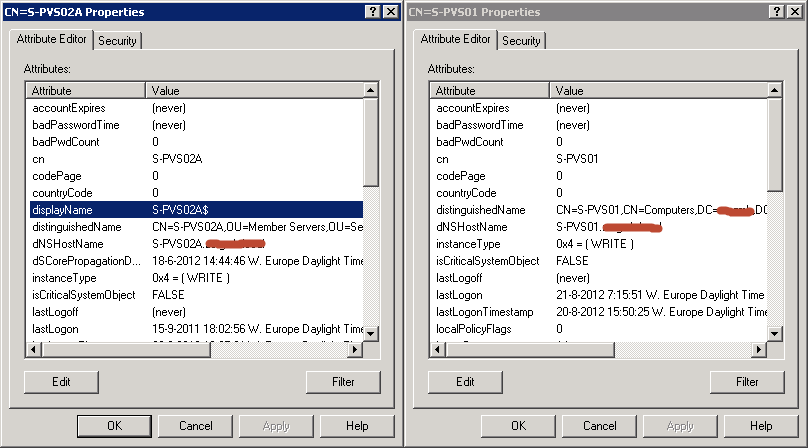
So I set this value with ADSI Edit but this didn't fix my problem.
I verified and even reset the secure channel:
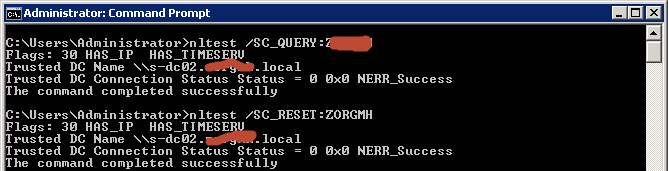
But again no result so I removed the server from the domain and re-joined and even that had no result. I checked that the system clock was in sync with the domain (and it was).
In a last attempt I decided to rename the computer account (while still joined to the domain) after which I could logon the domain.
I renamed the computer account back to it's original name and... the error was back!
By now I REALLY wanted to know what was going on so I wrote a PowerShell script to search Active Directory for this server's SPN:
function ListSPN([string]$fQDN)
{
    $collection = @()

	$strFilter = "(servicePrincipalName=HOST/$fQDN)"

	$objDomain = New-Object System.DirectoryServices.DirectoryEntry

	$objSearcher = New-Object System.DirectoryServices.DirectorySearcher
	$objSearcher.SearchRoot = $objDomain
	$objSearcher.PageSize = 1000
	$objSearcher.Filter = $strFilter
	$objSearcher.SearchScope = "Subtree"

	$colProplist = @("distinguishedName", "sAMAccountName", "name", "servicePrincipalName")
	foreach ($i in $colPropList){[Void]$objSearcher.PropertiesToLoad.Add($i)}

	$colResults = $objSearcher.FindAll()


	foreach ($objResult in $colResults)
	{
	    $item = New-Object System.Object

		$objItem = $objResult.Properties
		$item | Add-Member -Type NoteProperty -Name "Name" -Value ([string]::Join("", $objItem.name))
		$item | Add-Member -Type NoteProperty -Name "distinguishedName" -Value ([string]::Join("", $objItem.distinguishedname))
		$item | Add-Member -Type NoteProperty -Name "servicePrincipalName" -Value $objItem.serviceprincipalname

		if ($item) {$collection += $item}
	}

	return $collection
}
I ran the script with my SPN and I got back two results:
ListSPN "S-PVS02.mydomain.local" | Out-GridViewI got back two results which means there is a duplicate:

I openend the account Svc-Pvs in ADSI Edit:
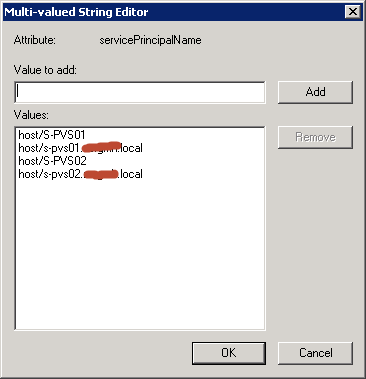
I have no clue why the PVS Service Account has the SPN's of two (old) PVS servers (which names are re-used). If someone has an idea why, I would love to know!
I removed all four SPN's and I was immediately able to logon to the Domain on my server!

Good work ;-)
Weird, but you could also use setspn -T* -X to search for a duplicate very easily.
Good work btw
cheers
Michael