
Background
Customer uses Citrix XenApp 5 with ThinApp, RES Workspace Manager and RES Workspace Extender.
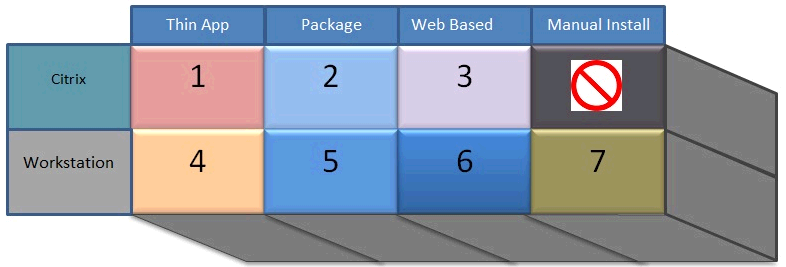
An application integration strategy is defined, the picture below displays the strategy and preferred order:
Question
Customer wanted to know the type (1..7) for all applications currently defined in RES Workspace Manager.
I decided to export all the Applications from RES WM as Building Blocks. This results in a folder with XML files. I decided to parse the XML files with a PowerShell script.
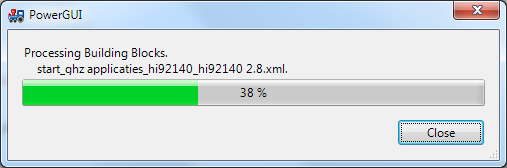
The scripts display a progress bar while running, indicating the current Building Block and percentage complete:
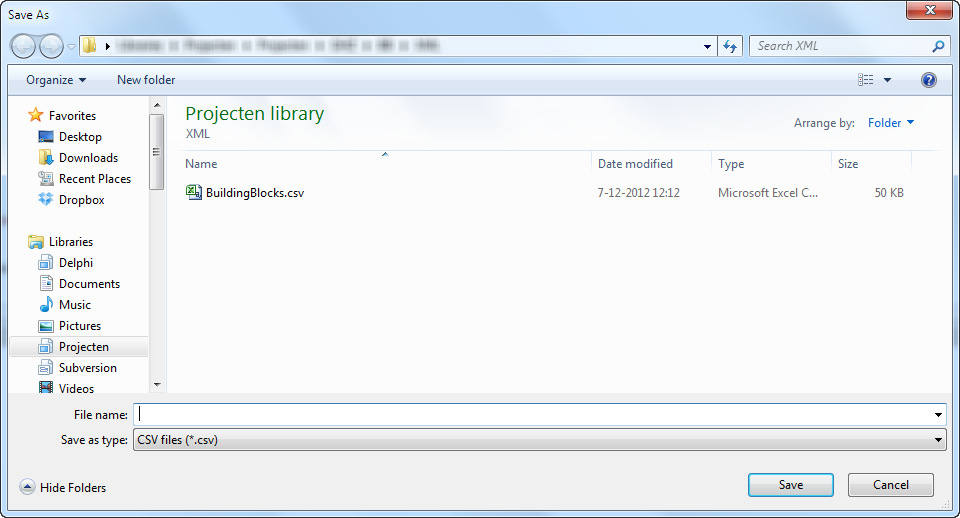
When the script is finished a Save File Dialog pops up so you can save the CSV file:
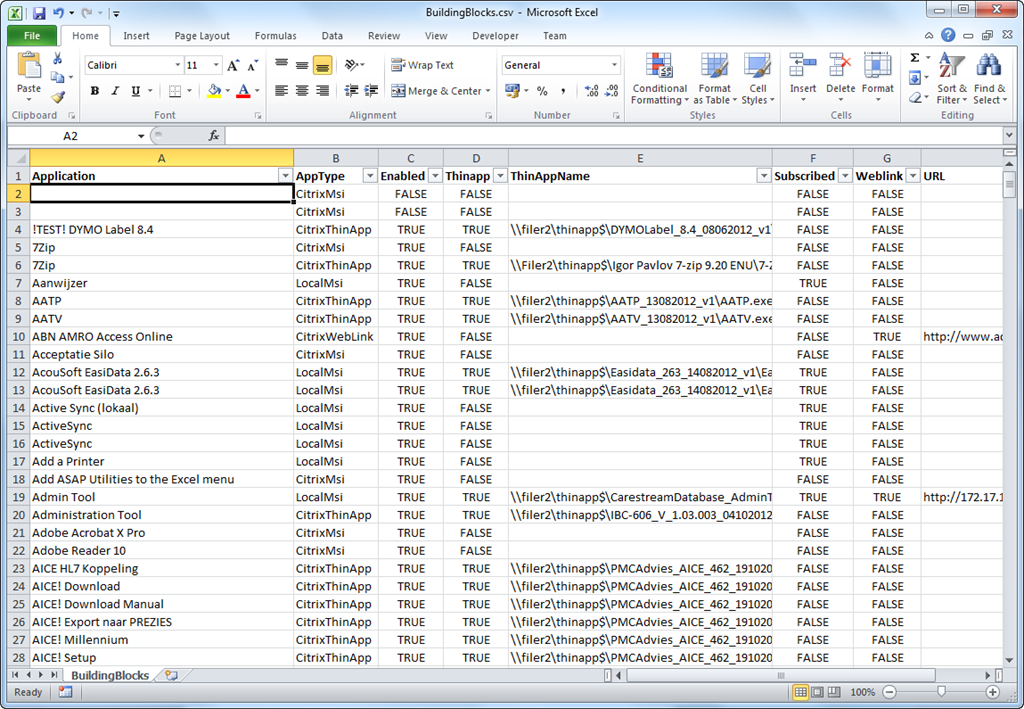
And the resulting Excel Sheet:
The Script:
ParseBuildingBlocks.ps1 · powershell
Download
# +----------------------------------------------------------------------------+
# | File    : ParseBuildingBlocks.ps1                                          |
# | Author  : Remko Weijnen                                                    |
# | Version : 1.00                                                             |
# | Purpose : Extract Application Data from RES WM Building Blocks and export  |
# |           to CSV file.                                                     |
# |                                                                            |
# | Synopsis:                                                                  |
# | Usage : Change $BBFolder to the directory with Building Blocks             |
# +----------------------------------------------------------------------------+
# | Maintenance History                                                        |
# | -------------------                                                        |
# | Name            Date       Version  Description                            |
# | ---------------------------------------------------------------------------+
# | Remko Weijnen   07-12-2012 1.0      Initial Version                        |
# |                                                                            |
# |                                                                            |
# +----------------------------------------------------------------------------+

# Folder with the exported Building Blocks
$BBFolder = "c:\Users\rweijnen\Projecten\GHZ\BB\XML"

# Application Type Enum
$enum = "
namespace Application
{
	public enum Type
	{
		CitrixThinApp = 1,
		CitrixMsi = 2,
		CitrixWebLink = 3,
		LocalThinApp = 4,
		LocalMsi = 5,
		LocalWebLink = 6,
		LocalManual = 7
	}
}"
Add-Type -TypeDefinition $enum -Language CSharpVersion3

# save file dialog, source: http://hackandflail.blogspot.nl/2010/08/powershell-open-file-dialog.html
Function Get-SaveFile($initialDirectory)
{
[System.Reflection.Assembly]::LoadWithPartialName("System.windows.forms") |
Out-Null

$SaveFileDialog = New-Object System.Windows.Forms.SaveFileDialog
$SaveFileDialog.initialDirectory = $initialDirectory
$SaveFileDialog.filter = "CSV files (*.csv)|*.csv|All files (*.*)|*.*"
$SaveFileDialog.ShowDialog() | Out-Null
$SaveFileDialog.filename
}

# Get all the XML Files
$BB = gci $BBFolder -Filter '*.xml'

# Array to hold the list of items
$list = @()

# Process XML Files
foreach ($file in $BB)
{
	# Show Progress...
	Write-Progress -Activity "Processing Building Blocks" -PercentComplete (($list.Count / $BB.Count) * 100) -Status $file.Name

	# Create Item
	$item = "" | Select-Object Application,AppType,Enabled,Thinapp,ThinAppName,Subscribed,Weblink,URL

	# Read file and cast to XML
	[xml]$xml = Get-Content (Join-Path $BBFolder $file)

	$config = $xml.respowerfuse.buildingblock.application.configuration
	$settings = $xml.respowerfuse.buildingblock.application.settings

	# Application Name
	$item.Application = $config.title

	# Is Application Enabled?
	$item.Enabled = $settings.enabled -eq "yes"

	# Is Application Subscribed?
	$item.Subscribed = $config.subscribed -eq "yes"

	# Is it a ThinApp?
	$item.Thinapp = $config.commandline -contains 'thinapp'

	# Is it a weblink?
	$item.Weblink = $config.commandline -contains 'IEXPLORE.EXE'
	if ($item.Weblink) {$link = $config.parameters} else {$link = ""}

	if ($item.Thinapp)
	{
		$item.Thinappname = $config.commandline
	}

	# Determine Application Type
	# We cannot determine difference between MSI Local or Manual Install Local
	if ($item.Thinapp -and !$item.Subscribed) { $item.AppType = [Application.Type]::CitrixThinApp }
	elseif (!$item.Thinapp -and !$item.Subscribed -and !$item.Weblink) { $item.AppType = [Application.Type]::CitrixMsi }
	elseif (!$item.Thinapp -and !$item.Subscribed -and $item.Weblink) { $item.AppType = [Application.Type]::CitrixWebLink }
	elseif ($item.Thinapp -and $item.Subscribed -and !$item.Weblink) { $item.AppType = [Application.Type]::LocalMsi }
	elseif (!$item.Thinapp -and $item.Subscribed -and $item.Weblink) { $item.AppType = [Application.Type]::LocalWebLink }
	else { $item.AppType = [Application.Type]::LocalMsi }

	if ($item.Thinapp) { $item.ThinAppName = $item.Thinappname } else { $item.Thinappname = "" }
	if ($item.Weblink) { $item.Url = $link }  else { $item.url = "" }

	$list += $item
}

Write-Progress -Activity "Processing Building Blocks" -Completed:$true -Status "Completed"

# Show Save File Dialog
$filename = Get-SaveFile $BBFolder

if ($filename)
{
	# Sort the list by application name and save it to csv file
	$list | Sort-Object Application | Export-Csv -Delimiter ";" -NoTypeInformation -Path $filename
}