
 I recently (well today really) started playing with the Citrix Linux VDA. I took Ubuntu to test because I happen to like Ubuntu.
I didn’t get it to work correctly right away though and during troubleshooting I wanted to know where the VDA is storing it’s settings.
I found the following file /etc/xdl/ctx-vda.conf with the following contents:
# The file name of VDA log file
LogFile="/var/log/xdl/vda.log"
PerfLogFile="/var/log/xdl/vdaperf.log"

# The Java preference backend class
ConfigBackend="com.citrix.cds.common.DbPreferenceFactory"

# If ConfigBackend is database, this is the DB URL; otherwise this value is ignored
ConfigDbUrl="jdbc:postgresql://localhost/citrix-confdb"

# If ConfigBackend is database, this is the DB user name; otherwise this value is ignored
ConfigDbUser="ctxvda"

# If ConfigBackend is database, this is the DB password; otherwise this value is ignored
ConfigDbPasswd="Sw3jM-v7yxQBfklIrzKyrdTGcxO6PLU_"

# Use alternative Log4J configuration, verify Log4J configuration file exists and uncomment the line below
#Log4jConfig="/etc/xdl/log4j.xml"

# Set this flag to 1 to enter debugging mode
DebugMode=0
I didn’t check but I am assuming that the password is random and unique per VDA…
This clearly indicates that the settings are stored in a postgres database so let’s have a little look:
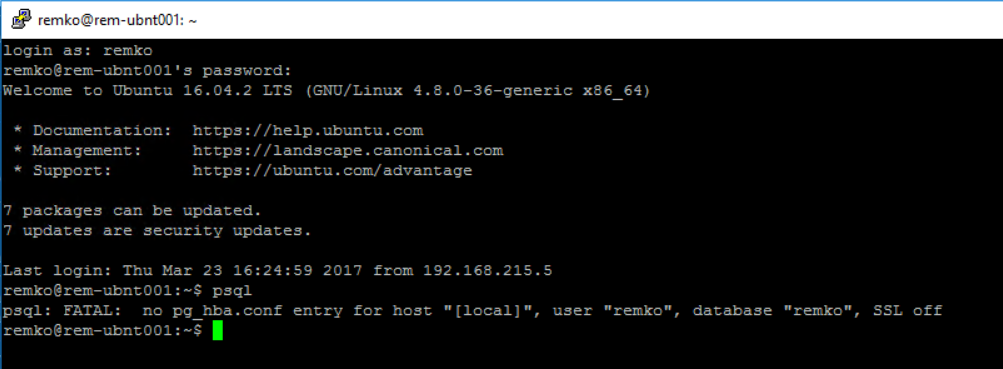
No access with the psql command so let’s check the postgres configuration:
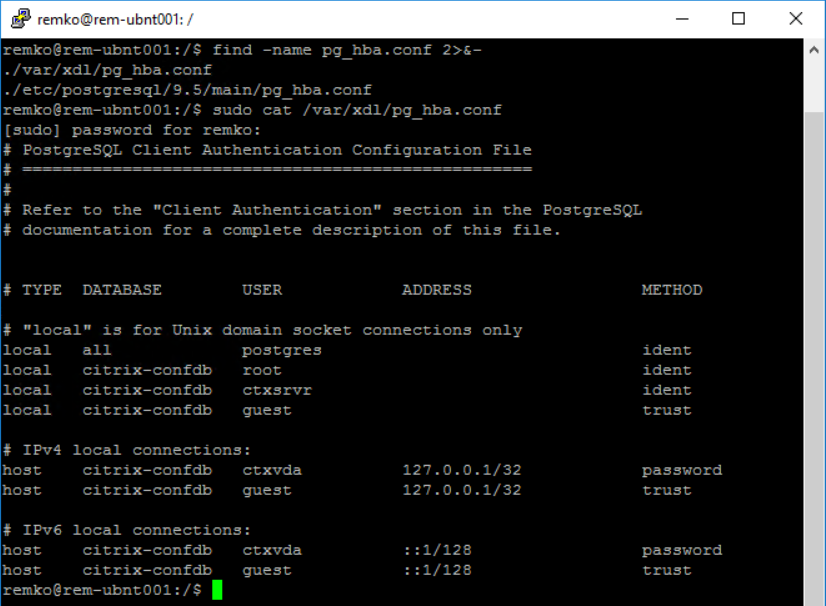
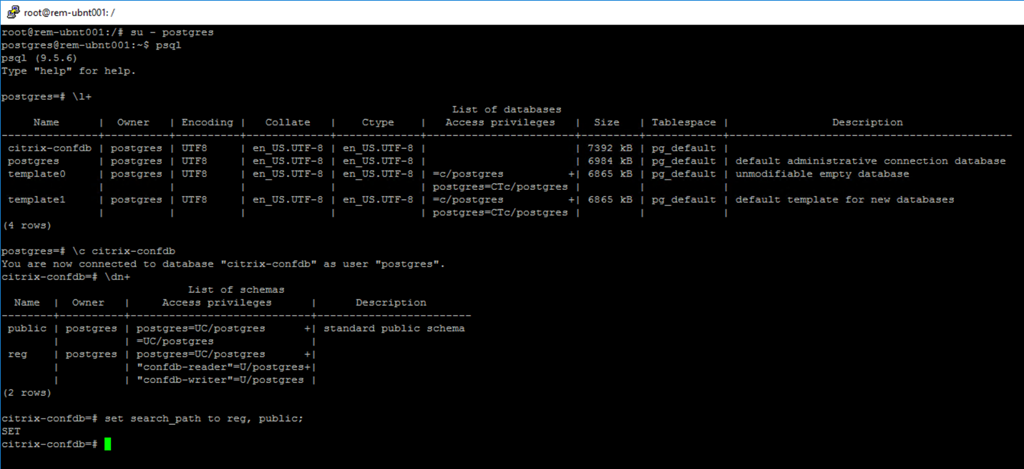
The user with access to all databases is postgres (the default user) so we can become this user with su - postgres and query the list of databases with \l+ and list the schema’s with \dn+.
The actual data is in the schema reg so I also set the search path:
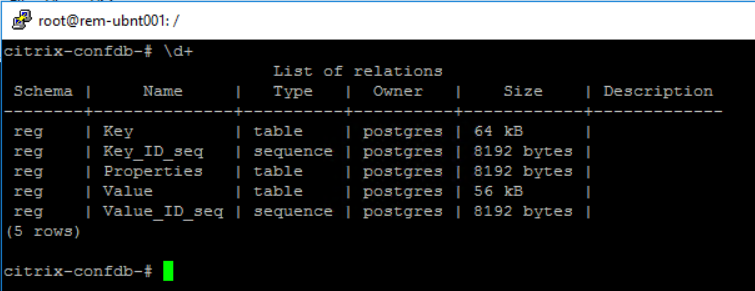
Let’s see what tables are in the database:
And finally let’s see what’s inside the tables with TABLE reg."Key":
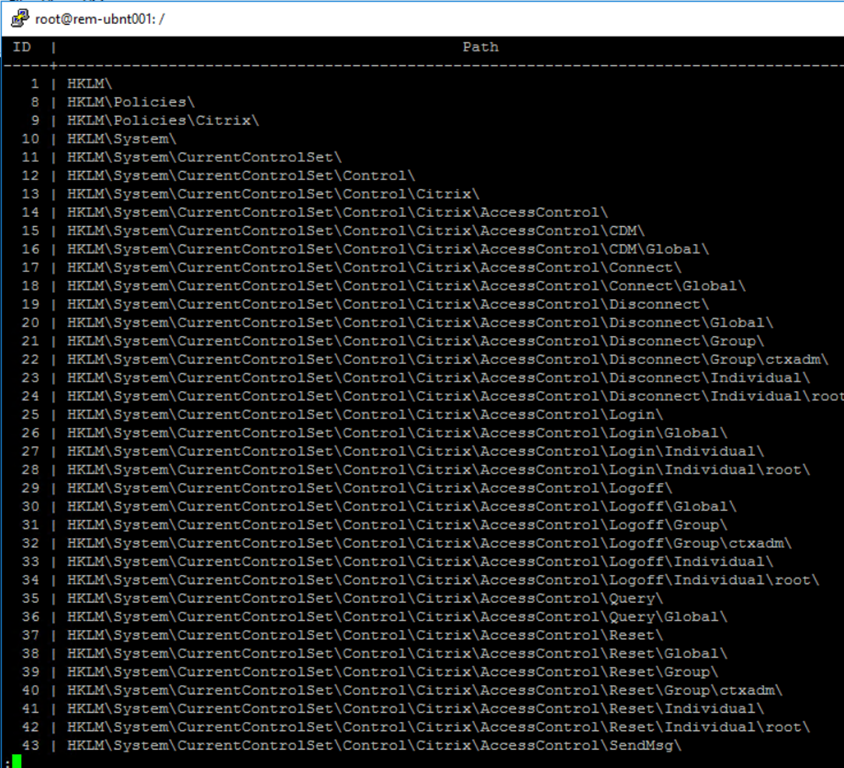
Wow that’s registry keys, at least we now understand why the schema is named reg!
Table Properties doesn’t really contain anything interesting:
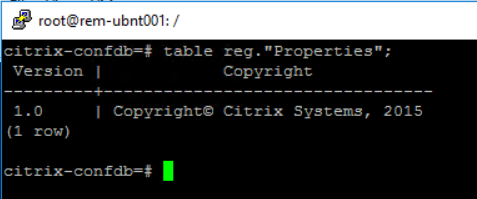
Table Value holds the interesting data:
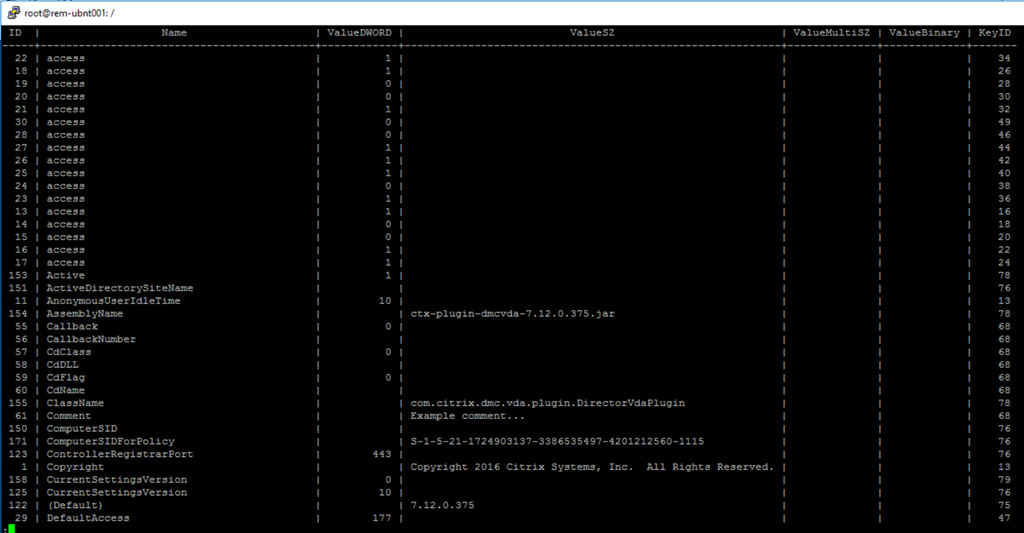
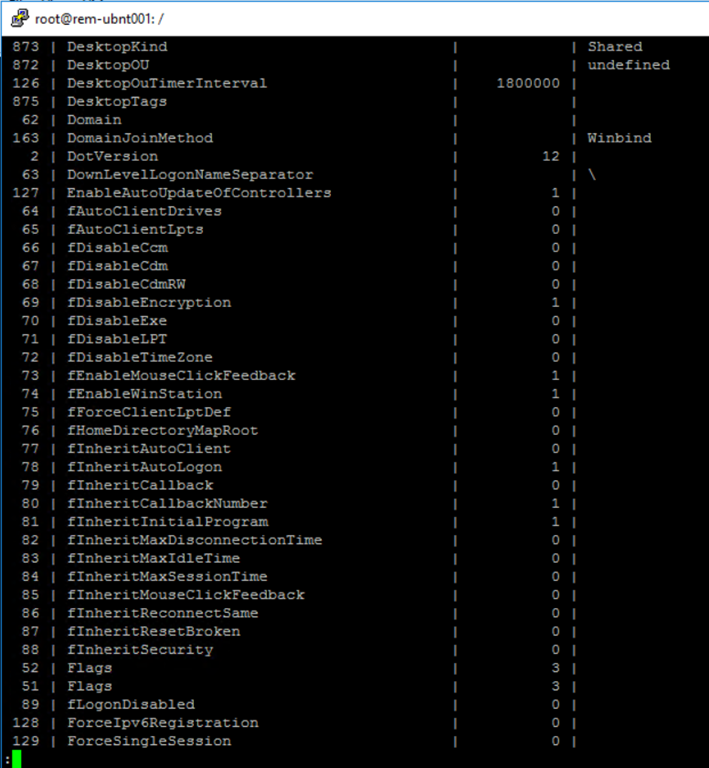
So for instance ListOfDDCs is stored in Values:

And here an example to change the DDCs:
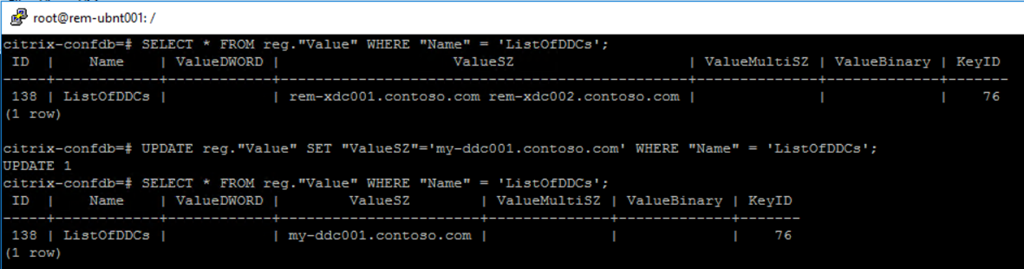
Note: making changes is likely unsupported by Citrix.

Something went wrong on citrix 7.15 on closed image it will not work any idea
Hard to say without more information, what is your exact issue?