
After changing AWS accounts I resetup my API key so I could use the AWS PowerShell CmdLets.
However even though I was sure I configured everything correctly I couldn't call any EC2 cmdlet. More about that further below but let's refresh how to setup an API key for PowerShell:
The procedure to do this is quite simple:
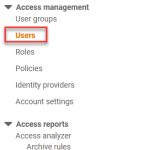
First you create an IAM user (go to Services | IAM) then in the left treeview select Users or use this direct link.
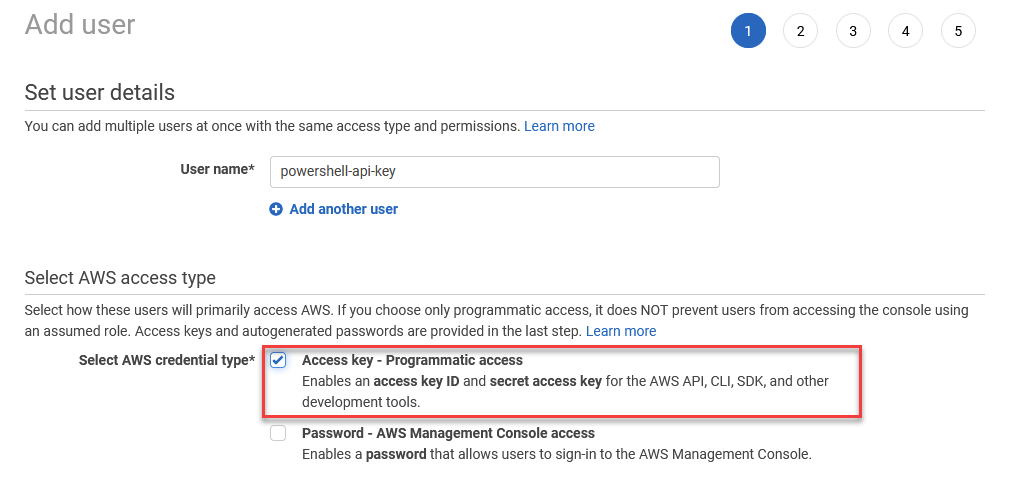
Click Add users or use this direct link, give the user a name and select "Access key – Programmatic access"
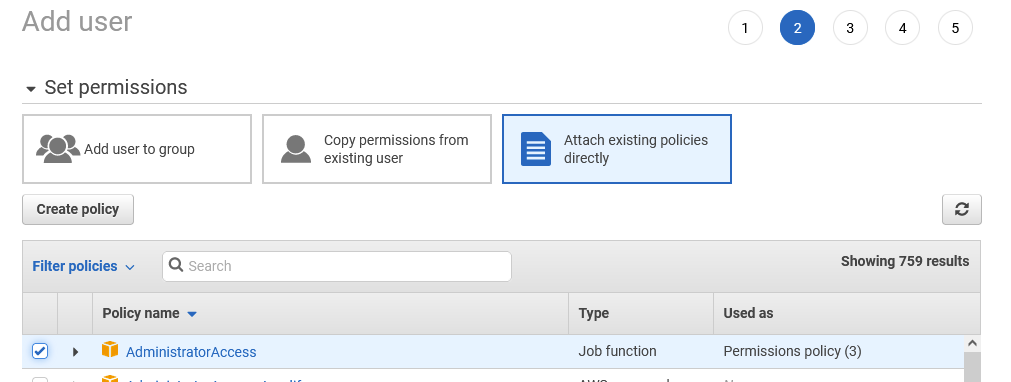
In the next screen select the appropriate permissions, in this screenshot I'm using AdministratorAccess but this of course means you're giving this user the permissions to do absolutely anything.
So have a good look at the minimum permissions that you actually require.
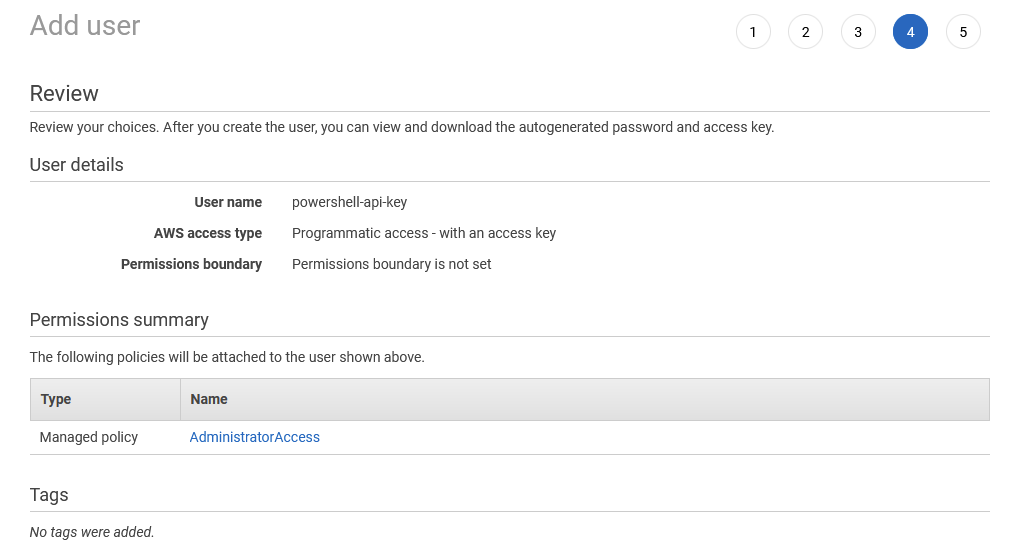
Click Next on the Add tags screen and the Review screen should look something like this:
On the next screen you will get the Access key ID and the Secret access key. Note that this is the only time you will get to see the Secret access key so use the copy button or Download the .csv file (but delete it from disk when you're done of course).
Now launch PowerShell and set the API key and Secret access key, profilename is any name of your choice except "Default".
Set-AWSCredentials -AccessKey <accesskey> -SecretKey <secretkey> -StoreAs <profilename>Next make this the default:
Initialize-AWSDefaultConfiguration -ProfileName <profilename> -Region 'eu-west-2'However when I tried to call CmdLets I would receive errors.
For example: Get-EC2Instance would return "AWS was not able to validate the provided access credentials" whilst Get-S3Bucket would return "The AWS Access Key Id you provided does not exist in our records" even when I explicitly provided the profilename.
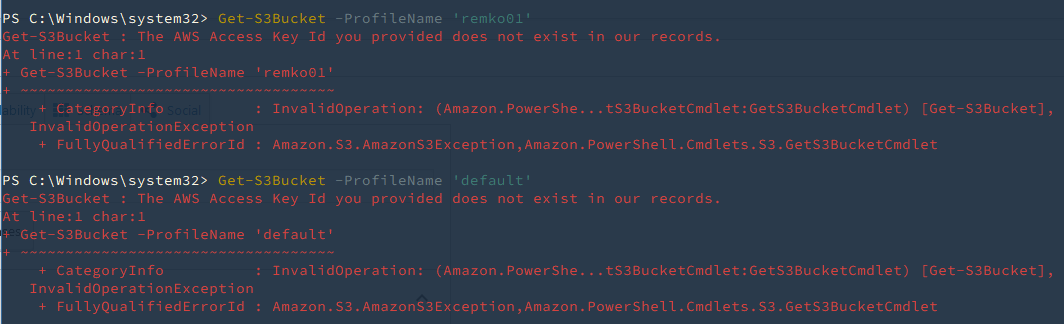
(The error messages could be more clear and above all more consistent btw).
I tried the same API key and Secret with AWS CLI and it worked fine and after some troubleshooting I listed the profile details with the following command:
Get-AWSCredential -ListProfileDetailIt showed 2 profiles with the same name:
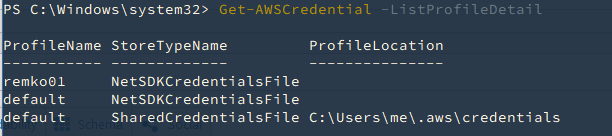
So I removed one of them with the following command:
Remove-AWSCredentialProfile -ProfileName defaultAnd finally everything works again!
