
On my laptop Outlook (Classic) started to hang. The window would freeze and I couldn’t even click the close button anymore. Killing and restarting Outlook made the window responsive for 2-3 seconds, then it would hang again.
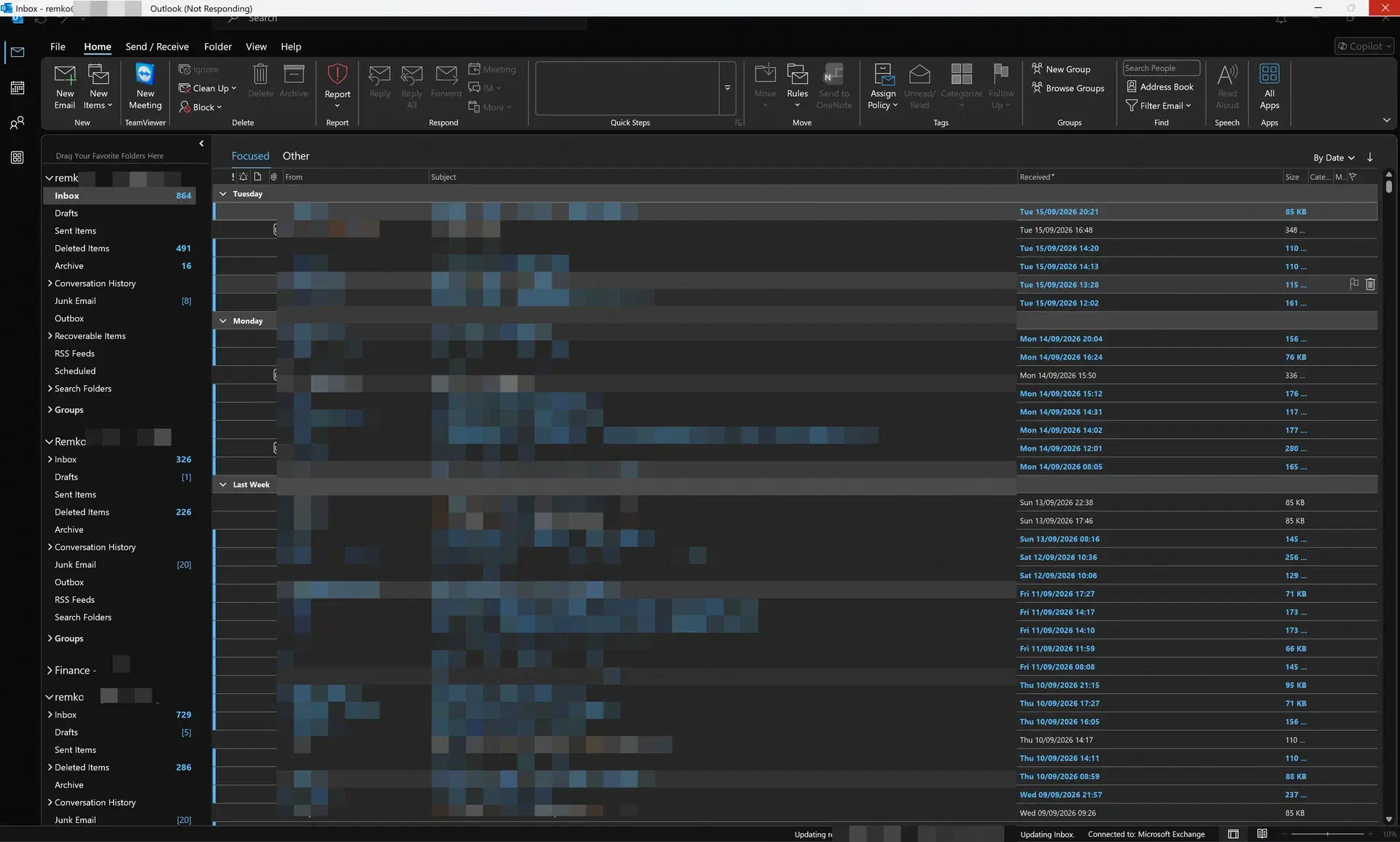
This time I decided to turn it into an experiment: can Claude (Anthropic’s AI agent) actually help me debug a real problem on a real machine? Not by pasting snippets into a chat window, but by giving it access to the tools I would use myself: procdump, cdb, IDA, PowerShell and the registry.
So I gave it a terminal and one line: “Outlook keeps hanging on this machine”. And I asked it to keep a log of every step, including the dead ends, so I could write this post afterwards. This is that post: what we tried, what worked, what didn’t and what the root cause turned out to be. Which, spoiler, was not the culprit we found first.
There was nothing to debug
The first finding was that there was nothing to debug. Claude searched the machine for Outlook dumps: the CrashDumps folder, the per user and machine wide WER folders and a system wide search for *.dmp files. There were 54 dumps on the machine, from Chrome, Slack, explorer, NVIDIA and others, but not a single one from Outlook. The Application event log didn’t have a single Outlook related entry either.
That makes sense once you think about it. A hang is not a crash. There is no unhandled exception so nothing writes a dump. WER LocalDumps only triggers on a crash (and there was no OUTLOOK.EXE key anyway). WER does create an AppHang report, but only when you end the program through the “not responding” dialog. I never got that far, and killing the process doesn’t leave anything behind.
So the first real work was to make sure that the next hang would leave evidence. Claude armed procdump in hung window mode and waited for Outlook to start:
C:\Tools\procdump64.exe -accepteula -ma -h -n 3 -w outlook.exe C:\Work\OutlookCrash\-h triggers on a window that stops responding to messages, -ma writes a full memory dump, -w waits for the process to start so you don’t have to race it, and -n 3 takes three dumps instead of one. That last one turned out to be the most important switch, more on that below.
I started Outlook and it hung. procdump caught it immediately:
Hung window check: Enabled   Threshold seconds: 10

[12:20:17] Hung Window: Dump 1 complete: 1270 MB written in 3.7 seconds
[12:20:32] Hung Window: Dump 2 complete: 1271 MB written in 1.2 seconds
[12:20:44] Hung Window: Dump 3 complete: 1272 MB written in 1.1 seconds
[12:20:45] Dump count reached.
A small side note: procdump returns the number of dumps it wrote as its exit code, so it exited with 3. The agent’s tooling reported the background task as “failed with exit code 3”. Not the last time in this experiment that a tool reported something that wasn’t true.
The debugger MCP timed out
I had a WinDbg MCP server configured, which lets the agent drive the debugger. Opening the dump with it failed twice:
DebuggerError: Command timed out after 300 seconds: !analyze -vThe MCP server always runs !analyze -v when it opens a dump, and on a 1.3 GB full memory dump of a hang that takes forever. It is also the wrong tool for a hang: there is no exception to analyse, we only want the thread stacks. Claude dropped the MCP and ran cdb directly:
cdb.exe -z OUTLOOK.EXE_260918_122017.dmp -c ".symopt+0x40; ~0s; kn 80; ~*k 60; q"That took about 4 seconds. Sometimes the old way is the fast way.
The main thread
The dump said Process Uptime: 0 days 0:00:12.000, so this was a startup hang, 12 seconds in. This is the main thread (I removed the return addresses and some WPF frames to keep it readable). A stack like this is best read from the bottom up:
 # Child-SP          Call Site
00 000000b4`278f7bd8 win32u!NtUserMsgWaitForMultipleObjectsEx+0x14
01 000000b4`278f7be0 OLMAPI32!DDCSMsgWaitForMultipleObjectsEx+0x91
02 000000b4`278f7c60 OLMAPI32!DDCSFilteredMsgWaitForMultipleObjectsPumpEx+0x57
03 000000b4`278f7cf0 OLMAPI32!CAsyncTaskImpl::DoEndTaskScopedMessagePump+0x249
04 000000b4`278f7df0 OLMAPI32!CAsyncNetworkTaskImpl::DoEndTask+0x162
05 000000b4`278f7e50 OLMAPI32!COlkConnectionTask::HrEnd+0x47
06 000000b4`278f7eb0 OLMAPI32!COlkConnectionHTTP::EndConnect+0x66
07 000000b4`278f7ef0 EMSMDB32!CExchangeServerConnection::EcInit+0xcf3
08 000000b4`278f9aa0 EMSMDB32!EcCreateExchangeServerConnection+0x69
...
0c 000000b4`278f9d20 EMSMDB32!LOGONOBJ::EcInit+0x995
0d 000000b4`278fb630 EMSMDB32!EcOpenStore+0xf2
...
11 000000b4`278fb940 EMSMDB32!MSPRVDROBJ::HrLogonReally+0x2f5
12 000000b4`278fbb60 EMSMDB32!RMS_EnsureConnectionEx+0x855
...
17 000000b4`278fc170 EMSMDB32!RFAVS_GetHierarchyTable+0xbf
18 000000b4`278fc1f0 OLMAPI32!CIMAPIContainer::GetHierarchyTable+0x260
19 000000b4`278fc360 OUTLOOK!MNSFolderWin::DispGetFolders+0x64
...
20 000000b4`278fcac0 OUTLOOK!MAPIFolderDispatch::get_Folders+0x2b
21 000000b4`278fcb00 0x00007ffe`1161638b
22 000000b4`278fcc00 0x00007ffe`11616165
23 000000b4`278fcc70 clr!CallDescrWorkerInternal+0x83
26 000000b4`278fcd40 clr!RuntimeMethodHandle::InvokeMethod+0x3e7
27 000000b4`278fd270 mscorlib_ni+0x57ef78
29 000000b4`278fd320 WindowsBase_ni+0x489111
...
3e 000000b4`278fddd0 clr!UMThunkStub+0x26d
3f 000000b4`278fde60 user32!UserCallWinProcCheckWow+0x356
40 000000b4`278fdfc0 user32!DispatchMessageWorker+0x1dd
41 000000b4`278fe040 OUTLOOK!FMessageLoop+0x36c
42 000000b4`278fe130 OUTLOOK!ComponentHost::FPushMessageLoop+0x20
43 000000b4`278fe160 mso98win32client!SCM::FPushMessageLoop+0x9e
44 000000b4`278fe1d0 mso98win32client!SCM_MsoCompMgr::FPushMessageLoop+0x3d
45 000000b4`278fe220 mso98win32client!Mso::SignIn::SignInUsingOneAuth_Blocking+0x3c2
46 000000b4`278fe340 mso98win32client!Mso::SignIn::ShowUIOnMainThread+0x294
...
48 000000b4`278fed00 mso98win32client!Mso::SignIn::SignInAPIImpl::ShowUI_MainThread+0x11
49 000000b4`278fed30 mso!MsoFWndProc+0x3c9
...
5b 000000b4`278ff9f0 user32!DispatchMessageWorker+0x1dd
5c 000000b4`278ffa70 OUTLOOK!FMessageLoop+0x36c
5d 000000b4`278ffb60 OUTLOOK!RenLibDLL::Run+0x15
5e 000000b4`278ffbd0 OUTLOOK!WinMain+0x9c
So from the bottom up:
- Outlook’s normal message loop dispatches a message that starts a sign-in (frames 5c to 46).
SignInUsingOneAuth_Blockingruns the sign-in. It is called blocking, but while it waits for the result it runs its own nested message loop (frames 45 to 40), so the main thread keeps processing messages in the meantime.- That nested loop dispatches a message into managed code: the CLR and a WPF Dispatcher (frames 3e to 23).
- That managed code reads the
Foldersproperty of an Outlook folder (frame 20). Foldersturns intoGetHierarchyTable, which needs the store to be opened, which needs a connection to Exchange (frames 19 to 07).- The connection is not ready, so
EndConnectwaits for it (frames 06 to 00).
The two frames without symbols at 21 and 22 are JIT compiled code, so a .NET add-in was involved. The obvious next step is !clrstack, which crashed the SOS extension:
c0000005 Exception in SOS.dll.clrstack debugger extension.But !dso (Dump Stack Objects) doesn’t need to unwind managed frames. It just scans the stack for object references, and the type names gave the answer right away:
0:000> !dso
OS Thread Id: 0x7d84 (0)
RSP/REG          Object           Name
000000B4278FCA00 0000025dd6a562c8 TeamViewerMeetingAddIn.AddIn+ProcessFolderDelegate
000000B4278FCAA0 0000025dd6840548 System.__ComObject
000000B4278FCAB0 0000025dd681db78 System.Windows.Threading.Dispatcher
...
000000B4278FCC08 0000025dd66e1f30 TeamViewerMeetingAddIn.AddIn
...
000000B4278FD2E0 0000025dd6840568 System.Windows.Threading.DispatcherOperation
The TeamViewer Meeting Add-In. I knew it was there: I have TeamViewer on my laptop to support my father when he has laptop issues. But I don’t use it a lot, and I certainly don’t need or use it in Outlook, so to be honest I should have removed or disabled it long ago.
Claude’s first hypothesis, before we had a dump, was the iCloud add-in. iCloudOutlookConfig64.exe was running, and the iCloud add-in has a reputation for hanging Outlook. Its second guess was a slow network call and its third was “some other COM add-in”. The dump corrected that in one line. Ten minutes spent arranging a dump is better spent than an hour of guessing.
Blocked or just slow?
With one dump you can’t tell whether a thread is stuck or merely slow. This is why -n 3 matters. The three dumps were taken over 27 seconds during one continuous hang, and the main thread has exactly the same stack in all three, down to the stack pointer:
OUTLOOK.EXE_260918_122017.dmp  00 000000b4`278f7bd8 win32u!NtUserMsgWaitForMultipleObjectsEx+0x14
OUTLOOK.EXE_260918_122032.dmp  00 000000b4`278f7bd8 win32u!NtUserMsgWaitForMultipleObjectsEx+0x14
OUTLOOK.EXE_260918_122044.dmp  00 000000b4`278f7bd8 win32u!NtUserMsgWaitForMultipleObjectsEx+0x14
The thread had not moved in 27 seconds. And it would never move again: when Claude killed the process later it was still reported as Responding = False.
What the add-in does
To see what the add-in actually does I extracted the exact assembly that was loaded from the dump (!SaveModule in SOS) and decompiled it with ILSpy. It is obfuscated, but the logic is easy to follow. Simplified, with my own names:
// TeamViewerMeetingAddIn.AddIn, version 15.81.5.0
public void OnStartup()   // Application.Startup event
{
    if (IsOnline())       // checks Session.ExchangeConnectionMode
        DoStartup();
    else
        StartTimerToCheckAgainIn30Seconds();
}

public void DoStartup()
{
    NameSpace session = application.Session;
    Dispatcher dispatcher = Dispatcher.CurrentDispatcher;

    // queue a callback for every store in the profile
    for (int i = 1; i <= session.Folders.Count; i++)
        dispatcher.BeginInvoke(new ProcessFolderDelegate(ProcessFolder),
                               DispatcherPriority.ContextIdle,
                               (Folder)session.Folders[i]);
}

public void ProcessFolder(ref Folder folder)
{
    // walk the subfolders: this is the Folders call on the hung stack
    for (int i = 1; i <= folder.Folders.Count; i++)
        dispatcher.BeginInvoke(new ProcessFolderDelegate(ProcessSubfolder),
                               DispatcherPriority.Background,
                               (Folder)folder.Folders[i]);
}

public void ProcessSubfolder(ref Folder subfolder)
{
    // only calendar folders are interesting: hook BeforeItemMove so that
    // deleting a TeamViewer meeting can also cancel it on the TeamViewer side
}
So at startup it walks the folders of every mailbox in your profile to find the calendars. I also decompiled the version that is on my machine now, 15.82.6.0, which TeamViewer installed a few days after this investigation. The folder walk is identical, so updating TeamViewer would not have fixed this.
The fix
The add-in is registered machine wide under HKLM with LoadBehavior = 3. Changing that requires elevation, and both attempts from the agent session failed: once because the session wasn’t elevated and once because I didn’t accept the UAC prompt. Instead Claude created a per user override:
HKCU\Software\Microsoft\Office\Outlook\Addins\TeamViewerMeetingAddIn.AddIn
  LoadBehavior = 0 (DWORD)
  FriendlyName = TeamViewer Meeting Add-In
  Description  = Disabled 2026-09-18 for Outlook hang investigation
Or in PowerShell:
$key = 'HKCU:\Software\Microsoft\Office\Outlook\Addins\TeamViewerMeetingAddIn.AddIn'
New-Item -Path $key -Force | Out-Null
New-ItemProperty -Path $key -Name LoadBehavior -PropertyType DWord -Value 0 -Force | Out-Null
The HKCU key takes precedence over HKLM, no admin rights are needed and you can undo it by deleting the key. Claude didn’t just assume this precedence works, it tested it. It re-armed procdump in a separate folder, cold started Outlook and checked the loaded modules after 45 seconds:
PID=72592  Responding=True  Uptime=45.1s

--- TeamViewer modules loaded in process? ---
NONE - TeamViewer add-in did not load

--- other addin modules, for comparison ---
APLZOD6432.dll                 (iCloud)
OutlookChangeNotifierAddIn.dll
Microsoft.Teams.AddinLoader.dll
UCAddin.dll / UcAddinRes.dll   (Skype)
The comparison list is the important bit: “TeamViewer did not load” only means something if the other add-ins did load. procdump didn’t fire once.
After that Outlook started normally again and my report back to Claude was a single word: “fixed!”. The price is that I lost the “Schedule TeamViewer meeting” button, which I never used.
To be fair: the real control experiment, enabling the add-in again and confirming the hang comes back, was never done. Claude noted this in the log as an open item and so do I. The causal claim rests on the stack: the add-in is literally on the blocked stack.
Case closed: TeamViewer did it. At least, that was the conclusion of the original session.
But what is TeamViewer actually doing wrong?
When I started writing this post that conclusion started to bother me. Look at the add-in code again. It waits for the Startup event. It checks whether Outlook is online, and if not it tries again every 30 seconds. It defers the real work to idle time. And then it reads Folder.Folders, a documented property, on the thread where Outlook object model calls belong. That is not exactly reckless code.
So why would reading a property hang Outlook forever? The original session had an explanation: the add-in forces an Exchange logon while the sign-in hasn’t finished yet, so the connection waits for credentials that never arrive. That sounded right, but it was a story, not proof. So I asked Claude to go back to the dumps, and I kept asking “but why?” until the circle was closed. This turned up the interesting part.
The trigger: Exchange said no
The main thread wasn’t the only thread waiting for something. Seven more threads were busy with credentials, and four of them show how it started. Each of them made a request that was rejected by the server (HTTP 401), and is now waiting for fresh credentials:
thread 53  CRestVerb_CopilotUpdateDeviceInfo   (Copilot reporting device info)
thread 54  ExchHttpRequest                     (Exchange)
thread 74  COlkAutoDiscoverTask                (Autodiscover, Office 365)
thread 98  ExchHttpRequest                     (Exchange)

all four end in:
OLMAPI32!CAsyncCredTask::HrEndEx
OLMAPI32!CCredControl::RetrieveAuthenticationData
EMSMDB32!Outlook::Authentication::ExchangeRequestAuthenticator::RefreshRequestAuthData
EMSMDB32!Outlook::Authentication::RequestAuthenticator::HandleDeniedResult
So Exchange rejected Outlook’s access token at startup, most likely because it had expired. That also explains why the hang only happened sometimes: no rejected token, no sign-in, no hang.
One credential refresh at a time
Three other threads (46, 56 and 97) are credential tasks that haven’t even started. They are queued:
OLMAPI32!CCredControl::AcquireCredTaskSerializationPrimitive+0x9c
OLMAPI32!CAsyncCredTask::OnGoMso+0x91
OLMAPI32!CAsyncCredTask::OnGo+0x54
Outlook refreshes credentials one at a time. The only credential task that is actually running is on thread 49.
To link these threads together Claude used a nice trick: dump the raw stack memory of every thread involved, look for heap pointers that appear on more than one stack, and identify those objects by their vtable. One of the hits:
0:000> dqs 0000025d`cff8ffa0 L1
0000025d`cff8ffa0  00007ffd`9fad70a8 OLMAPI32!CAsyncCredTask::`vftable'
That CAsyncCredTask is on the stack of thread 49 (the running task) and on the stack of thread 54 (one of the rejected Exchange requests). So that request is waiting for exactly the task on thread 49.
The sign-in has to run on the main thread
Thread 49 itself is waiting too:
  49  Id: 74f0.e28c
win32u!NtUserMsgWaitForMultipleObjectsEx+0x14
mso98win32client!Mso::SignIn::DispatchSignInEventToMainThread_Helper+0x31e
mso98win32client!Mso::SignIn::SignInAPIImpl::ShowUIForServiceParams+0x128
mso98win32client!Mso::SignIn::SignInAPIImpl::ShowUI+0x106
mso98win32client!Mso::Authentication::CredPromptADAL::pcaPromptForCreds+0x5a2
mso98win32client!Mso::Authentication::CredCollector::CollectCreds+0x2ec
mso98win32client!Mso::Authentication::CredCollector_Win::PromptForWinHttpCreds+0x360
...
mso40uiwin32client!MsoPromptForCredsFromIRequest+0x10a
OLMAPI32!CAsyncCredTaskHelper::CreateIdentityAuthDataUsingMso+0x36e
OLMAPI32!CAsyncCredTaskHelper::ObtainAuthDataFromSource+0x198
OLMAPI32!CAsyncCredTask::OnGoMso+0x173
OLMAPI32!CAsyncCredTask::OnGo+0x54
The Office sign-in (OneAuth) has to run on the main thread, so the background thread asks the main thread to do it and then waits. This is what DispatchSignInEventToMainThread does, reconstructed from the disassembly:
// mso98win32client!Mso::SignIn::DispatchSignInEventToMainThread
HWND target = HwndGetInprocMessageTarget();
UINT msg    = (MsoGetApp() == 6) ? 0xE00 : 0xD00;
PostMessageW(target, msg, 0x73, (LPARAM)request);

// ..._Helper: after posting, wait until the main thread has completed the sign-in
MsgWaitForMultipleObjectsEx(1, &request->done, INFINITE, QS_ALLINPUT, ...);
MsoGetApp() reads a global, and in this process it returns 6, so in Outlook the request is posted as message 0xE00:
0:000> dd mso20win32client!vnMsoAppID L1
00007ffd`9f414a68  00000006
The request object is an AsyncWaiter, and the same pointer trick shows where it went:
0:000> dqs 0000025d`c8622a00 L1
0000025d`c8622a00  00007ffd`9bdca9b8 mso98win32client!Mso::AsyncWaiter<Mso::SignIn::ShowUIThreadData>::`vftable'

thread 49  000000b4`2aefc270  0000025d`c8622a00   DispatchSignInEventToMainThread_Helper
thread 0   000000b4`278fec68  0000025d`c8622a00   ShowUIOnMainThread (frame 46)

0:049> !handle 4cc4 f
  Type           Event
  Event Type     Auto Reset
  Event is Waiting
So the sign-in at the bottom of the main thread’s stack (frames 49 to 45) is exactly the request that thread 49 posted, and the event that thread 49 waits on was never signaled.
I never saw a sign-in dialog during these hangs, and the dump doesn’t tell whether this sign-in would have shown one. It may well have been a silent token refresh. It doesn’t matter for the deadlock.
The sign-in waits by pumping messages
SignInUsingOneAuth_Blocking doesn’t just block. While it waits it runs a nested message loop that dispatches everything. That is also how TeamViewer’s code got to run: a WPF Dispatcher uses a hidden message-only window (MS.Win32.MessageOnlyHwndWrapper is visible in the !dso output). The ContextIdle and Background callbacks that the add-in queued at startup run whenever any message loop on the thread gets to them. Including the nested loop inside Office’s sign-in.
So TeamViewer’s “deferred” folder walk ran in the middle of the sign-in. It read Folders, which needs an Exchange connection, and the main thread ended up in EndConnect.
Which store was it opening? The strings on the main thread’s stack answer that. The store logon in frame 0c (LOGONOBJ::EcInit) is for labs@contoso.com, a second mailbox in the Contoso account (all tenant and company names in this post are anonymised), and the connection in frame 07 goes to that mailbox, authenticated as my Contoso account.
That mailbox is not cached, and that matters. A cached mailbox is opened from the local OST file and Outlook connects it to the server in the background: threads 9 and 44 are doing exactly that for my own Contoso mailbox. A mailbox that is not cached has no local copy, so listing its folders means a store logon and a server connection, right there on the calling thread.
And it is the first store TeamViewer looks at. Session.Folders returns the stores in this order on my machine, so the very first ProcessFolder callback lands on the one store that can’t answer without the server:
1. labs (contoso)        olExchangeMailbox              not cached   <- on the hung stack
2. shared mailbox        olExchangeMailbox              not cached
3. remko@fabrikam.com    olPrimaryExchangeMailbox       cached
4. shared mailbox        olExchangeMailbox              not cached
5. other account         olAdditionalExchangeMailbox    cached
6. other account         olAdditionalExchangeMailbox    cached
7. shared mailbox        olExchangeMailbox              not cached
8. remko@contoso.com     olAdditionalExchangeMailbox    cached
The wait that only lets one message through
EndConnect doesn’t block either. It also pumps messages, but with a filter. Reconstructed from the disassembly of OLMAPI32 16.0.20326.20144 (simplified, and the names of the local variables are mine):
// OLMAPI32!COlkConnectionHTTP::EndConnect
bool pump = FShouldPumpMessagesWhileWaitingTaskToFinish(); // main thread && MSO ADAL enabled
UINT msgMin = pump ? 0xE00 : 1;   // min > max means: don't pump at all
UINT msgMax = pump ? 0xE00 : 0;
task->HrEnd(..., msgMin, msgMax);

// OLMAPI32!DDCSFilteredMsgWaitForMultipleObjectsPumpEx
for (;;)
{
    DWORD r = MsgWaitForMultipleObjectsEx(count, handles, INFINITE, QS_POSTMESSAGE, 0);

    if (r == WAIT_OBJECT_0 + count)   // a posted message arrived
    {
        while (PeekMessageW(&msg, NULL, msgMin, msgMax, PM_REMOVE))
        {
            TranslateMessage(&msg);
            DispatchMessageW(&msg);
        }
        continue;
    }

    if (r == WAIT_IO_COMPLETION)
        continue;

    return r;                         // the task finished (or failed)
}
These are the relevant instructions from EndConnect that calculate the range:
call    OLMAPI32!FShouldPumpMessagesWhileWaitingTaskToFinish
...
sbb     edx,edx
and     edx,0E00h                 ; max = pump ? 0xE00 : 0
...
sbb     ecx,ecx
and     ecx,0DFFh
inc     ecx                       ; min = pump ? 0xE00 : 1
...
call    OLMAPI32!COlkConnectionTask::HrEnd
And to be sure the range really was 0xE00 in this dump, we read the saved maximum back from the DoEndTaskScopedMessagePump frame on the stack: 00000e00.
So while the main thread waits for the Exchange connection it only dispatches one posted message: 0xE00, the sign-in request. Mouse input, keyboard input, paint and everything else stays in the queue. The wake mask is QS_POSTMESSAGE (8), so it doesn’t even wake up for anything else. That is why the window was dead and I couldn’t even click close.
That filter looks deliberate. Someone at Microsoft thought about this: if the main thread waits for a connection and that connection needs a sign-in, the sign-in request has to get through, or Outlook deadlocks. In that order it works: the sign-in runs on top of the wait, finishes, and the wait completes.
Here the order was the other way around. The sign-in was already running, lower on the stack, and the wait started on top of it. Letting another 0xE00 through doesn’t help.
Closing the circle
One more shared pointer closes the circle. The main thread’s own HTTP connection object is in frame 07 of the main thread, and it is also on the stack of thread 46, one of the queued credential tasks:
0:000> dqs 0000025d`d09ff780 L1
0000025d`d09ff780  00007ffd`5fa1dad8 EMSMDB32!CCnctConnProvHTTP::`vftable'
So this is the full picture:
- The main thread waits in
EndConnectfor its Exchange connection. - The connection needs credentials, from a credential task on thread 46.
- Thread 46 is queued behind the credential task that is running on thread 49.
- Thread 49 waits for the sign-in it posted to the main thread.
- That sign-in is running on the main thread, but lower on the stack than the wait from step 1.
A stack can only unwind from the top. The sign-in can’t return before the folder walk returns, the folder walk can’t return before the connection is ready, and the connection can’t be ready before the sign-in returns. Nothing in this process will ever move again.
To be precise about what is proven and what isn’t:
- Proven with the dump: the rejected requests, the queued and the running credential task, the
AsyncWaiteron both stacks, the event that was never signaled, the 0xE00 filter and the connection object shared by the main thread and thread 46. - Not proven: that thread 46 is queued behind thread 49 specifically. That follows from the function name and the fact that thread 49 is the only credential task that is running, but I didn’t identify the owner of the lock.
- Not proven: why Exchange rejected the token. The dump only shows that it did.
So who is at fault?
TeamViewer pulls the trigger, but Microsoft built the trap.
The deadlock is Outlook’s design. Outlook refreshes a token by running a nested, unfiltered message loop on the main thread. Anything that is queued gets to run inside the sign-in, including add-in code. And then the object model lets that code start a blocking Exchange connection on the same thread, while that connection depends on the sign-in underneath it. The 0xE00 filter shows that Microsoft thought about “waiting, then a sign-in comes in”, but not about “signing in, then a wait starts”. Any other add-in (or script) that touches a mailbox that isn’t open yet at that moment is likely to hit the same deadlock.
That doesn’t make TeamViewer blameless. Microsoft’s own guidance for Outlook add-in developers, Support for keeping add-ins enabled, says:
- “If you have long-running tasks such as making an expensive connection to a database, defer those tasks to occur after startup.”
- “Be aware that all calls to the Outlook object model execute on Outlook’s main foreground thread. Avoid making long-running Outlook object model calls if possible.”
TeamViewer followed the first one: the walk is deferred and doesn’t run inside the Startup event, so Outlook’s add-in resiliency (which disables add-ins that slow down startup) never notices it. But walking every folder of every mailbox through the object model is exactly the long-running main thread work the second one warns about. And ContextIdle makes it look asynchronous, but idle callbacks are exactly what runs inside nested message loops like this one.
Could TeamViewer have been more defensive?
They did try, which is what makes this interesting:
- They wait for
Application.Startup. But that event fires when the add-ins have been loaded, not when every account has signed in and every mailbox is connected. As far as I know there is no event for that. - They check
Session.ExchangeConnectionMode. But that is the mode of the primary account only, and it tells you how the account is connected, not whether its token is still valid. On my machine it reportsolCachedConnectedFull(700), while the mailbox that hung is not cached at all.
What would have helped is looking at the store before walking it. The object model tells you exactly what the list above shows: Store.ExchangeStoreType and Store.IsCachedExchange. A mailbox that is not cached needs the server for everything, so that is the one to skip or postpone. Even better: don’t walk the tree at all. Store.GetDefaultFolder(olFolderCalendar) gives you the calendar of each mailbox directly, and other calendars can be hooked when the user actually opens them. The add-in already listens to Explorer events, so it knows when that happens. There is also Store.IsOpen, but I haven’t verified whether reading it can trigger a connection by itself.
None of this makes the deadlock impossible, it only makes it a lot less likely. The real fix belongs in Outlook.
Several tenants
I wondered if my setup made this worse, because it is not a typical one. My profile has four Exchange accounts, each in a different Microsoft 365 tenant. My laptop isn’t joined to any of them, on purpose: I work across tenants, and joining would also mean getting Intune policies pushed onto my own device. Without a join there is no Primary Refresh Token, so each account keeps its own refresh token, under its own tenant’s policies.
In this dump only one account was involved. Every rejected request, every connection wait and the sign-in on thread 49 (“Connecting to remko@contoso.com”) belong to the Contoso account. The other tenants were not part of it.
So you don’t need multiple tenants to hit this, one rejected token is enough. But my setup does make it more likely: four tokens that can expire, each under its own sign-in policy, and four shared mailboxes that are not cached, one of which happens to be first in the list. Why the Contoso token was rejected that day I don’t know. It isn’t one problem tenant though: the sign-in prompts I caught later were for two of the other accounts.
A note on the names: I replaced the real tenant and company names with Microsoft’s well known example names (Contoso, Fabrikam and friends).
A perfect storm
So the hang needs four things at the same time:
- Exchange rejects the token of one of my accounts at startup, so Outlook runs a sign-in on the main thread.
- That sign-in waits with a nested message loop that runs whatever is queued.
- TeamViewer has queued its folder walk, so it runs inside that loop.
- The first store in the walk is a mailbox that is not cached, so listing its folders needs a server connection on the main thread.
Take one away and Outlook most likely starts normally. With a valid token there is no sign-in. With a cached mailbox the folder list comes from the OST. Without TeamViewer nothing runs inside the loop. And if Outlook didn’t run other code in the middle of a sign-in, there would be no deadlock at all.
This also explains why it seemed to come out of nowhere. None of these four is a bug that was introduced on a specific day, and none of them is a problem on its own. They show up separately, over time: a shared mailbox gets added to your profile, a token expires, Office updates itself regularly and TeamViewer updates itself too (it went from 15.81 to 15.82 during this investigation). Only when all four line up does Outlook hang, and then only at the one moment that the sign-in and the folder walk meet.
People like to say that software doesn’t rot. The bits don’t change, so code that worked yesterday works today. That is true for the code, but not for the environment it runs in, and on a desktop that environment is everything else: other add-ins, the Office build, the profile, the tenants, the tokens. The TeamViewer folder walk is the same in 15.81 and 15.82, and my Outlook still went from starting fine to hanging. That is also why “but this has been working fine for years” is not much of an argument in a support call.
So, can AI help you debug?
Yes, with a few caveats.
Claude armed the capture before guessing, took three dumps instead of one, tested its own assumption about HKCU precedence and wrote down every dead end, including its own wrong hypotheses. When the tooling got in the way (the MCP timeout, !clrstack crashing) it worked around it instead of stopping. Some of the best checks came without me asking. While drafting this post it pulled the TeamViewer 15.81 add-in out of the dump, decompiled it, compared it with 15.82 and found the same folder walk, so “update TeamViewer” (fix option 1 in its own log) would not have helped.
It also flagged where its own proof was incomplete, like the missing control experiment, instead of declaring victory after I typed “fixed!”.
Where I had to steer
But it was also wrong several times, and when I went back through the transcripts for this post, the moments where I had to steer fall into a few groups.
Test before you fix. Once the dump pointed at TeamViewer, Claude offered three options, and its favourite was to update TeamViewer. I chose “set loadbehaviour to 0 so we can confirm” instead: first prove the add-in is the cause, then think about a fix. Good thing, because a month later the decompiled 15.82 turned out to have the same folder walk, so the update would not have changed anything. And when it found a OneAuth.dll from the Teams add-in in the dump I asked “wait was our offending addin teamviewer or teams ?”. It answered from the managed heap and the registry key: TeamViewer, not Teams, and it added a note to the log so the name collision wouldn’t end up in this post.
Asking why. “TeamViewer did it” was a plausible story, and disabling the add-in fixed my problem, so it would have been easy to stop there. When I started writing this post I asked “I need more details / understanding of how the deadlock exactly happens”, and after the next answer “still missing some puzzle pieces and who’s at fault?”. Only then did Claude go back into the dump and find the pointer that sits on the stack of both the credential thread and the main thread, the HTTP 401s and the queue of credential tasks. Everything in the second half of this post comes from those two questions.
Claims without a source. The first draft said that Microsoft tells add-in developers to avoid heavy work at startup, and that one tenant probably had a stricter sign-in policy. I asked for “real actual guidance we can point to” and “stricter than what?”. The first turned into the Microsoft Learn quotes above. For the second it answered that it had no data for that, and removed it. The sign-in prompts I logged later actually pointed the other way.
Hunches get checked. I wrote “it makes me feel the labs mailbox might be contributing”. It didn’t just agree. It went to the frame in the dump that holds the mailbox the main thread was connecting to, which was indeed labs, checked that labs is not cached while the cached mailboxes connect on background threads, and that it is first in the folder list TeamViewer walks. That became the perfect storm.
It makes up a good story. Claude also drafted this post, and the first version opened with my experience of the hang: it didn’t happen every time, I would wait a bit and kill it. None of that came from me. It even flagged that opening as its own wording, but it took me three rounds to get the hang separated from an unrelated sign-in dialog annoyance, because my own research notes linked them and it had copied that “without questioning it”. The first paragraph of this post is now in my own words.
The model’s guesses are about as good as an experienced colleague’s guesses, and you should treat them the same way: every answer has to come with evidence, a stack, a pointer that shows up on two threads, a string in memory, a window caught live. When I asked for that, I got it. When I didn’t, I sometimes got a plausible story.
The technical lessons are old ones, but they still hold. A hang leaves no evidence unless you arrange for it. One dump shows you a busy thread, three identical dumps show you a stuck one. In the Outlook object model there is no such thing as a cheap property. And a “blocking” call in Office still pumps your messages, which means your code can end up running in the middle of someone else’s wait.
So, Microsoft, if you are reading this: a sign-in that runs arbitrary add-in code while the rest of Outlook waits for it is a trap. And TeamViewer: please don’t walk the folder tree of every mailbox on the UI thread during startup.
A note on how this post was written: I used AI assistance. Claude made the first draft from the investigation log, the session transcripts and the dumps. It was not written automatically: I reviewed it, corrected what was wrong, steered the extra analysis and rewrote parts in my own words.
