Intermittently, video playback would hang on my Dell XPS 16 9640 laptop. Videos didn’t play at all, or they played a few frames and then froze at 0:00. First I restarted Firefox, but that didn’t help. So I tried the same video in Chrome, and that had exactly the same issue. A reboot did fix it (“reboot immer gut!”), but when you have, like me, lots of tabs and a few Claude Code sessions open, that is really annoying. After it had happened a few times I wanted to know why it was failing.
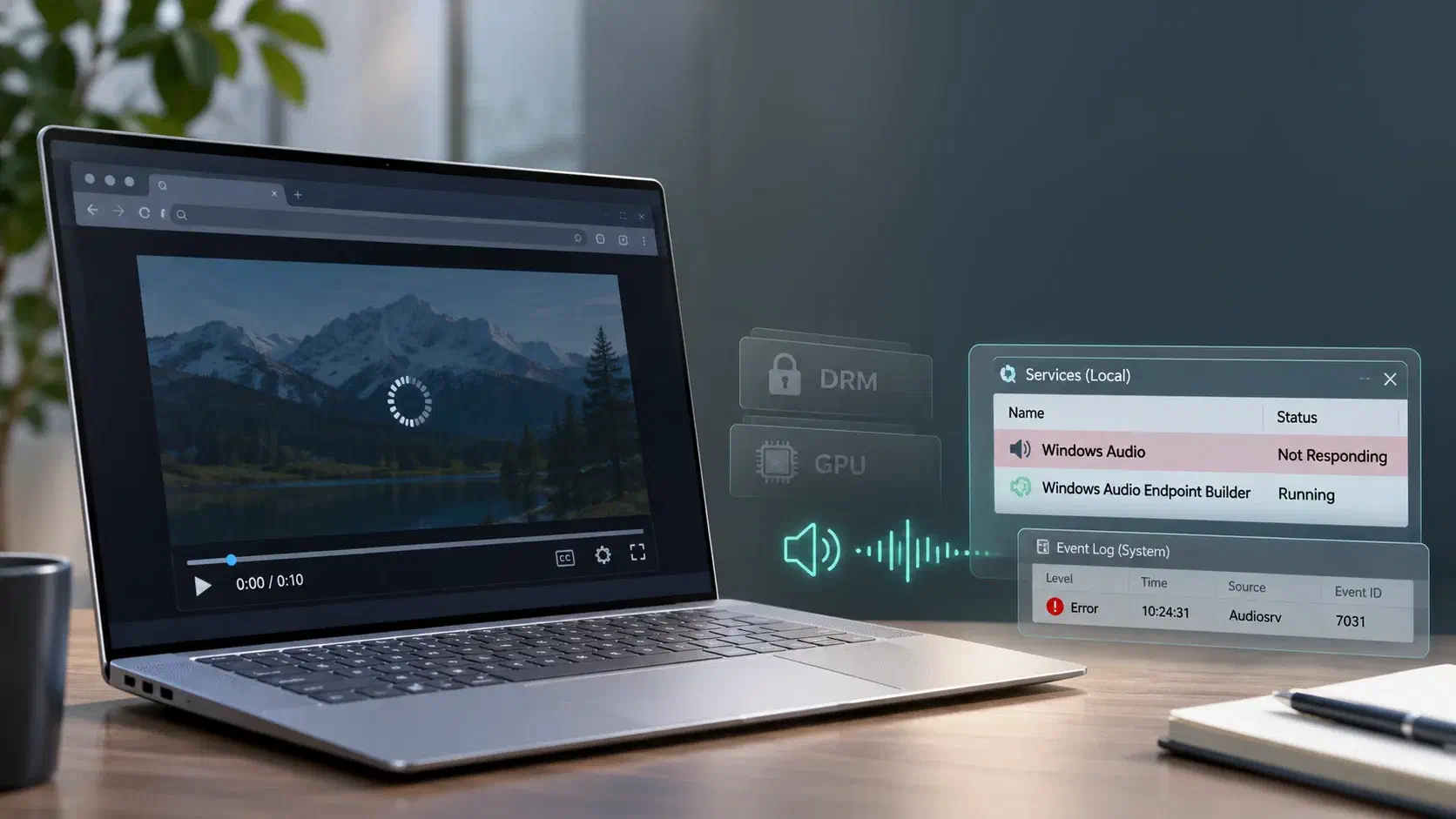
It looked like a DRM problem. I had recently been tinkering with my provider’s IPTV app and set-top box, because I was interested in how Widevine works, and I had seen that interfering with the DRM halts the video in much the same way. And as described below, this laptop has a few known weak spots for protected video. So that is where I started.
It wasn’t DRM, and it wasn’t the GPU either. This post is a post-mortem of the troubleshooting: what I checked, which tests were misleading and what the real cause turned out to be. Every wrong turn came from the same symptom, and that symptom might fool you too. At the end there is a fix that doesn’t need a reboot, and a small probe tool I wrote to diagnose the problem the next time it happens.
The machine
The XPS 16 9640 is a hybrid graphics machine: an Intel Arc iGPU drives the internal OLED panel (3840x2400, HDR capable) and there is an NVIDIA GeForce RTX 4060 Laptop GPU next to it. Hybrid graphics and HDR are both known weak spots for protected video: it can break when the decode or render path crosses GPUs, or when the HDR or HDCP state changes. So besides DRM itself, the graphics side was the obvious suspect.
The audio side is less common. The speakers are SoundWire devices: four Cirrus Logic CS35L56 amplifiers (left and right, tweeter and woofer) and a CS42L43 codec, behind the Intel Smart Sound Technology DSP, with Waves audio processing on top.
Graphics first
Windows has a hotkey to restart the graphics driver: Win + Ctrl + Shift + B. The screen goes black for a moment and you hear a beep, and your apps stay open. If playback recovers after that, the problem is in the driver. It reset, but playback stayed broken.
The System event log had no display driver timeouts or crashes in the last 30 days. The Intel display log (Intel-Gfx-Display-External) holds about 100,000 entries, all event ID 10 with undocumented parameters, but nothing I could link to the failures.
Not DRM
The real step forward was testing with a local file: the demo video from my previous post. It is plain H.264 with AAC audio in an MP4, and ffprobe shows no encryption.
- Windows Media Player: plays.
- Chrome and Firefox: nothing.
If an unencrypted file fails in both browsers, DRM can’t be the cause. Both browsers decode H.264 on the GPU through Media Foundation and D3D11, inside their own GPU process. Media Player uses a different pipeline. So the suspect moved to hardware video decode in the browsers.
That seemed to be confirmed straight away. With --disable-accelerated-video-decode (and a throwaway profile) Chrome played the file. Without it, it didn’t.
The wrong turns
Then it got confusing. A separate, clean Chrome instance with hardware decode enabled played the file fine: 203 frames decoded in 4 seconds, none dropped, and the Intel DXVA decoder loaded in its GPU process. So hardware decode on the Intel GPU worked.
The obvious differences with my normal Chrome were the extensions, and that the clean instance ran with --force-color-profile=srgb, which skips the colour profile and HDR handling of the panel. So I tested two throwaway profiles:
| Test | Result |
|---|---|
| Clean profile, no flags | fails |
Clean profile + --force-color-profile=srgb | fails |
That cleared both the profile and the colour theory. And there was still the question I kept coming back to: how can Chrome and Firefox both break at the same time when I didn’t change any settings, and why does a reboot always fix it? That points to shared state in Windows that a driver reset doesn’t clear and a reboot does.
It was the audio
It turned out that the “clean” instance that played fine had the video muted. The same file in the same instance, at the same moment:
| Position after 4 s | Frames rendered | |
|---|---|---|
| Sound on | 0.00 | 4 |
| Muted | 3.96 | 199 |
With sound on it stalls after a few frames, which is exactly the symptom. When a video has an audio track, the browser uses the audio output as the master clock: video frames are shown when the audio clock says it is their turn. In Chrome the audio renderer is the time source of the media pipeline (see renderer_impl.cc). If the audio device never starts taking samples, the clock never moves, and the video stays at 0:00 after the first few frames. For Chrome the muted test proves it. In Firefox I didn’t do the muted test, but the symptom and the fix were the same.
That explains all the earlier wrong turns. DRM, GPU decode and HDR all looked plausible because they all fit “a few frames, then nothing”. It also explains why the graphics reset didn’t help and why both browsers fail together. I can’t explain why the --disable-accelerated-video-decode test played, since I don’t know if the audio was working at that moment or if it was muted.
I left it on for 15 seconds as well: the position stayed at 0.00 the whole time. So the audio stream never started. It wasn’t just slow.
Why Media Player still worked
The Microsoft-Windows-Audio/PlaybackManager event log shows that Media Player uses hardware audio offload: its streams log “Released offload mode resource true”. With hardware offload the stream goes to the audio hardware more directly, which is a different path than the shared-mode WASAPI stream the browsers open through audiodg. A test outside the browser shows the shared engine was in a bad state: a 1 second WAV played with System.Media.SoundPlayer (the old waveOut API) took 3.1 seconds to finish. When the system is healthy it takes about 1.1 seconds.
The Cirrus Logic driver also logs how long its devices take to become ready. It writes that to the System event log, source CirrusLogic-Drv-XuCsMe, event ID 107. You can read it without admin rights:
Get-WinEvent -MaxEvents 5 -FilterHashtable @{
    LogName      = 'System'
    ProviderName = 'CirrusLogic-Drv-XuCsMe'
    Id           = 107
} | Format-List TimeCreated, Message
On this laptop:
TimeCreated : 02/11/2026 09:14:51
Message     : Device 3556.0:01 ready latency is 1934003 micro-seconds.

TimeCreated : 02/11/2026 09:14:51
Message     : Device 3556.1:01 ready latency is 1940404 micro-seconds.

TimeCreated : 02/11/2026 09:14:51
Message     : Device 3556.3:01 ready latency is 1921830 micro-seconds.

TimeCreated : 02/11/2026 09:14:51
Message     : Device 3556.2:01 ready latency is 1906606 micro-seconds.

TimeCreated : 02/11/2026 09:14:50
Message     : Device 4243.0:02 ready latency is 850779 micro-seconds.
The driver reports the latency in microseconds (millionths of a second), so 1934003 is 1.93 seconds. The 3556 devices are the four CS35L56 amplifiers, each taking about 1.9 seconds, and 4243 is the CS42L43 codec. That is close to the extra 2 seconds in the waveOut test. But the driver logs this when the devices initialise, not every time a stream starts, so whether it is related I don’t know. (Event ID 101 from the same source is the firmware download failure, more on that below.)
The fix
Restarting the Windows Audio service needs admin rights. From an elevated console:
Restart-Service -Name Audiosrv -ForceVideo in my normal Chrome started playing immediately. No reboot, no browser restart.
What did not work: the graphics driver reset, restarting the browser, a clean browser profile and forcing the sRGB colour profile. Muting the video also works, but that isn’t really a solution.
Not the same as AudioFixer
This is the second audio problem I have had on this laptop. Earlier this year the CS35L56 amplifiers sometimes failed their firmware download after resume from standby, which gives Code 43 and “No audio device is installed”. For that I wrote AudioFixer. It runs as a scheduled task triggered by the Cirrus Logic firmware error (event ID 101) and resets the SoundWire bus by disabling and re-enabling the Intel SST OED device.
This was a different failure. There was no firmware error since the last boot, AudioFixer didn’t run, and all amplifiers and audio endpoints reported OK. The devices were fine, the audio engine was stuck. A bus reset doesn’t fix that, a service restart does.
I first assumed this one was triggered by resume from standby as well, but I had no evidence for it. The only audio device change in that boot was a Jabra speakerphone plugged in and removed on 27 October, and video still worked after that. The laptop had been up for 9 days with many standby cycles, so standby is still possible. For now the trigger is unknown.
What about Dell?
The installed Intel Smart Sound Technology and Cirrus Logic drivers are from June 2025. Dell Command | Update offers 17 updates for this laptop, including a newer BIOS, but no audio driver.
Two different audio failures on the same hardware, and no audio driver update in about 17 months, is something I’d like Dell to look at. But I can’t prove the driver is the cause. A stuck Audiosrv could also come from the Windows audio engine itself or the Waves processing. And with 17 pending updates the first answer would be to install them all, which is fair. So that is the next step.
A probe for next time
To find the trigger I need data from the moment it breaks. For that I wrote a small probe, audio-probe, now in the tools folder of the AudioFixer repository. It is a PowerShell script with a batch file to start it, runs without admin rights and plays only silence, so you hear nothing.
How it works
The script compiles a bit of inline C# with Add-Type, which declares the WASAPI COM interfaces it needs (IMMDeviceEnumerator, IMMDevice, IAudioClient and IAudioRenderClient). No external modules or DLLs.
It asks IMMDeviceEnumerator for the default render endpoint, reads its friendly name and gets the mix format the shared engine runs at. On this laptop that is “Speakers (SoundWire Speakers)” at 48 kHz, 2 channels, 32-bit float.
Then it opens two shared-mode streams on that endpoint, one after the other:
- Event-driven:
IAudioClient::InitializewithAUDCLNT_STREAMFLAGS_EVENTCALLBACK. The engine signals an event every time it wants more data, normally every 10 ms. This is how Chrome opens its stream. - Timer-driven: a 200 ms buffer that the script polls itself, without events.
For both it prefills the buffer, calls Start() and keeps the buffer topped up for 2 seconds. Every buffer is released with AUDCLNT_BUFFERFLAGS_SILENT, so the engine treats it as silence and the content is never played.
The measurement is simple: frames written minus GetCurrentPadding() (the frames still waiting in the buffer) is what the engine has actually taken. From that the script records when the engine took its first data and how many milliseconds of audio it took in 2 seconds. On a healthy system that is about 2000 ms. When the engine is stuck it should be 0, like the browser that stayed at 0:00. I first used IAudioClock for this, but GetService returned E_NOINTERFACE for it on this machine, and the padding is the more direct signal anyway.
The third test plays a 1 second silent WAV through System.Media.SoundPlayer.PlaySync(), which uses the old waveOut API, and times it. That is the test that took 3.1 seconds while the problem was there.
Each test runs on its own thread with a timeout. A call into a hung audio engine may never return, and this way it is reported as HUNG instead of freezing the script.
The verdict and the log
Per test the script gives a verdict:
- STUCK: the stream failed or hung, or the engine took no data at all
- SLOW: the first data took more than 500 ms, or less than 1.3 seconds of audio was taken in 2 seconds (for waveOut: more than 1.6 seconds for the 1 second WAV)
- OK: everything else
The worst of the three is the overall verdict, and that is also the exit code (0 OK, 1 SLOW, 2 STUCK), so a scheduled task or another script can act on it.
Every run adds a row to audio-probe.csv next to the script. Besides the measurements it logs the context: uptime, last boot, the last resume from standby (Kernel-Power event 507), the start time of audiodg and the default device. With audio-probe.bat /nopause it can also run unattended.
A healthy run on this laptop looks like this:
| First data taken | Audio taken in 2 s | waveOut 1 s | |
|---|---|---|---|
| Event-driven | 12 ms | 2010 ms, 201 callbacks | |
| Timer-driven | 8 to 11 ms | 2010 ms | |
| waveOut | 1104 to 1155 ms |
The STUCK detection hasn’t been tested against the real fault yet. Next time video freezes, I’ll run audio-probe.bat before restarting the audio service, and then compare.
A note on how this post was written: I used AI assistance. Claude made the first draft from my notes. It was not written automatically: I reviewed the draft, corrected what was wrong and rewrote parts in my own words.
How I steered it
- The title has to be findable for people with this problem, and describe the problem, not the solution. So no “audio” in the title.
- Make clear it happened in both Firefox and Chrome.
- Windows Media Player doesn’t belong in the problem statement. I only tried it once I started troubleshooting.
- No “short version” at the top. Tell it the way it happened: restart Firefox, try Chrome, reboot.
- Explain why I thought it was DRM: I had been tinkering with Widevine on my IPTV app and set-top box.
- This is a post-mortem, and the probe tool is a reason to read on.
- Describe the laptop once, not twice.
- Remove the text from the lead image.
- Where does the 1.9 seconds come from? Put the event log source and the command in the post, and explain the unit (micro-seconds).
- A code block that both scrolled and wrapped looked odd. Fix it.
- Check the post against the lessons and best practices for this blog.
- Put the probe script in the AudioFixer repository, explain what it does, and clean up the repository’s branches.